
To charge or waive a Tutorbase lesson that no plan pays for, open the lesson in Calendar, select the student, then Plan, and choose Charge as extra or Free. Tutorbase then lets you finalize the lesson and bills it, or not, as you decided.
Before you start
A student needs this payment decision when their Plan row reads Not paid (their plan can't pay for this lesson) or No plan chosen. The Needs payment decision view in Calendar finds these lessons.
For example, Felix Weber's Spanish Conversation Group lesson was moved to a day before his Group Spanish · 8 lessons plan starts, so it reads Not paid · Outside the plan's dates. Sofia Alvarez, for example, has no plan for her trial mathematics lesson, so it reads No plan chosen.
Tutorbase doesn't finalize the lesson until every student who needs one has a decision. A student whose Plan row reads No plan also needs Free or a plan before the lesson is finalized.
Choose Charge or Free
Open the lesson in Calendar.
Under Students, select the student's name. The student menu opens.
Select Plan. Edit lesson opens on the student's Plan panel.
In the Plan panel:
- Choose Charge as extra or Free.
- For Free, enter why in Reason. The reason is required.
- Select Done.
Charge as extra shows the price, for example US$25.00, billed when the lesson is completed. It is offered when the student has a plan that can't pay for this lesson, and the price comes from that plan. A student with no plan at all sees only Free.
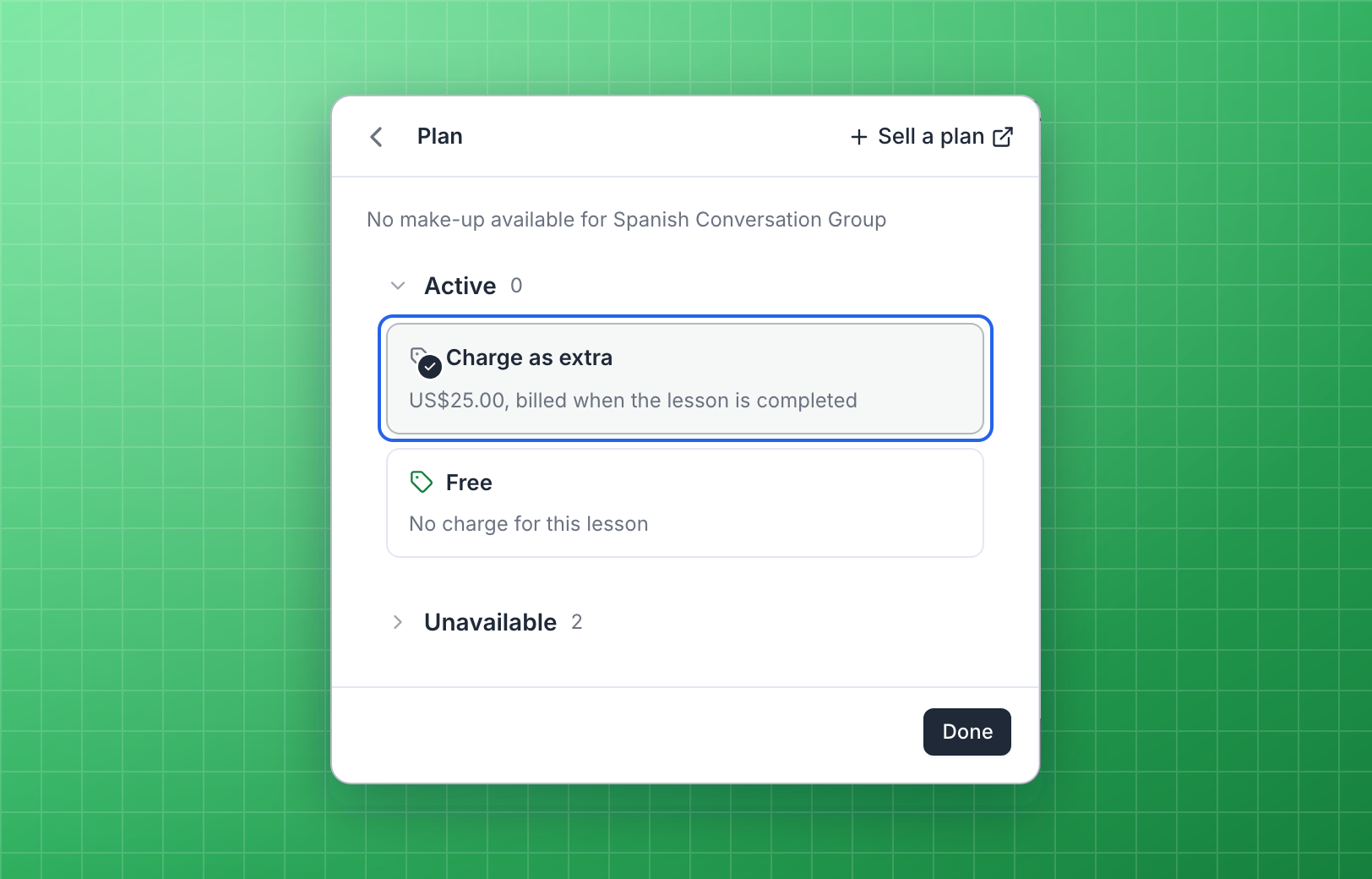
Choose Charge as extra when the family agreed to pay for the lesson. Choose Free only for a lesson the school agreed not to charge, such as a trial, and record why. If the family should buy a plan instead, Sell a plan is in the same panel.
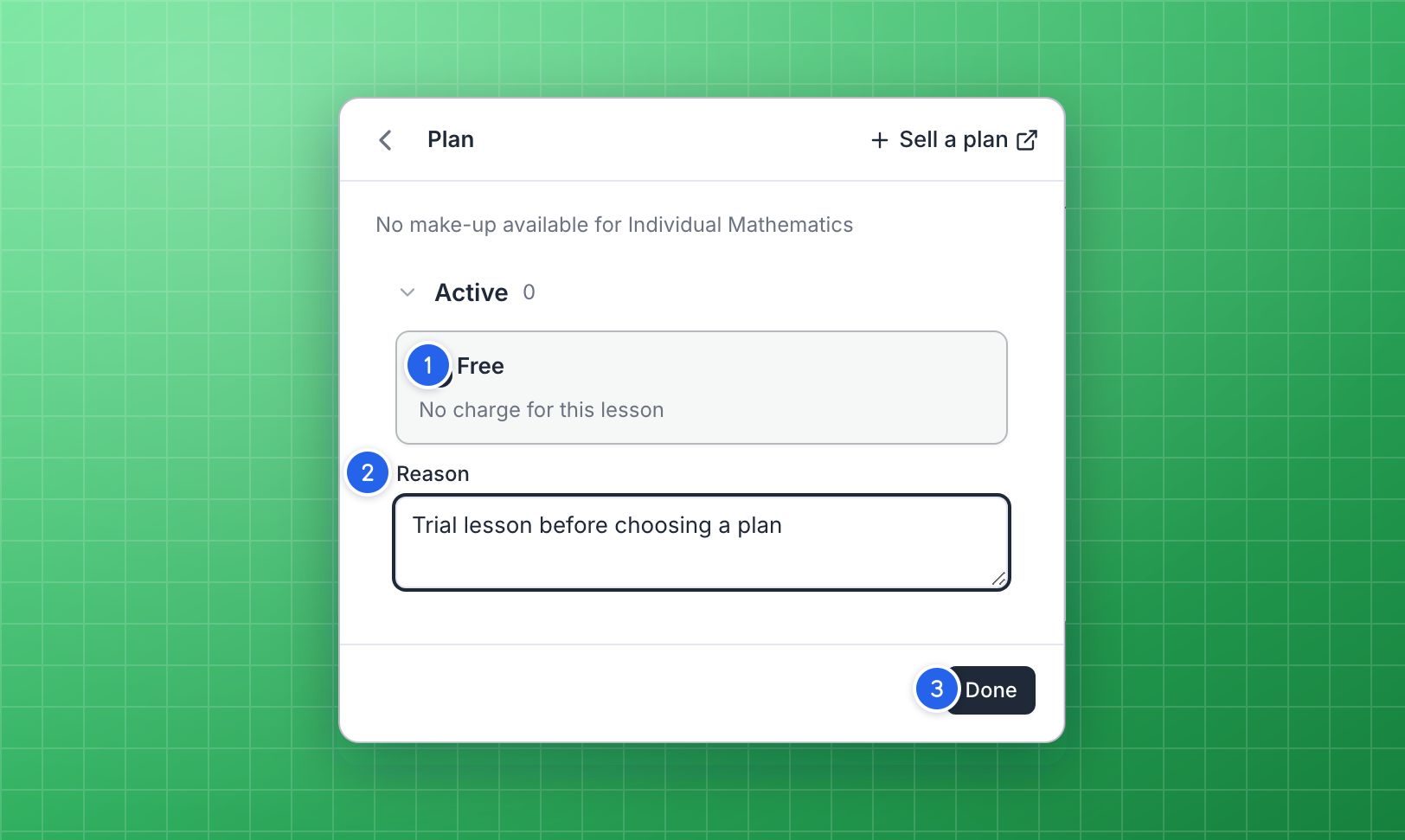
Press Escape to close the student menu. The decision isn't saved yet.
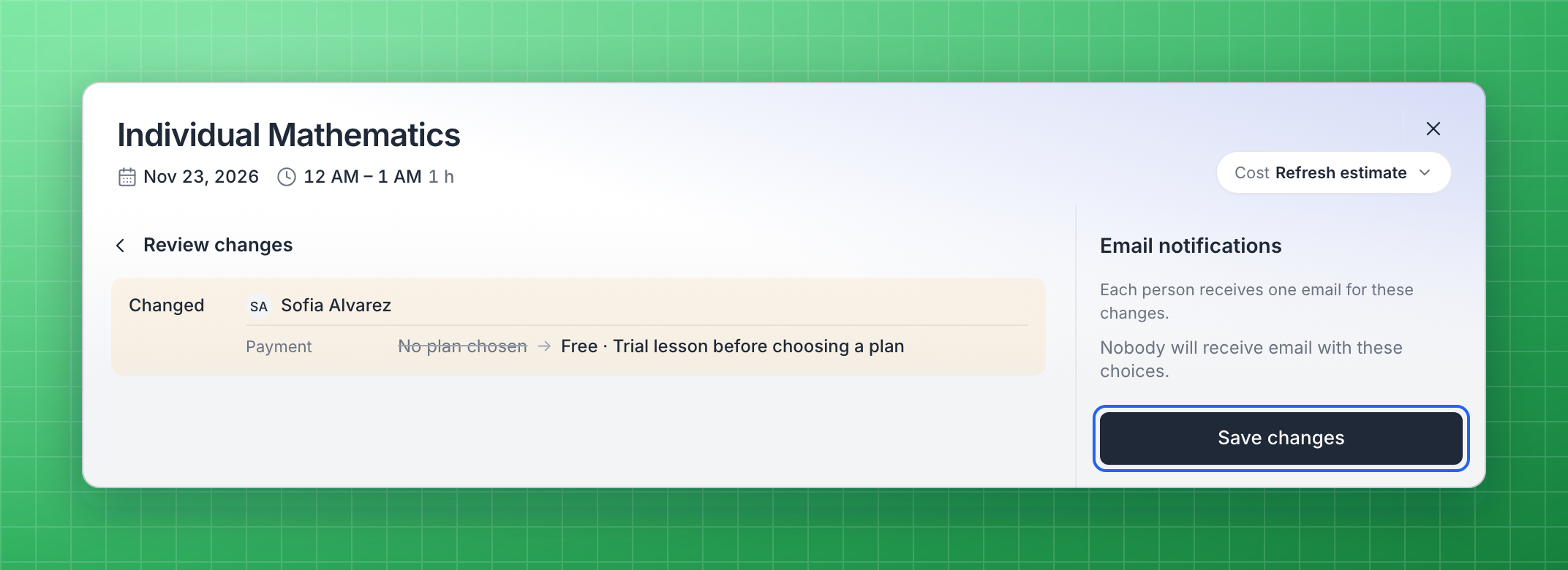
Select Review changes. Under Payment, check the change, for example No plan chosen → Free · Trial lesson before choosing a plan.
Select Save changes.
After you decide
The student's Plan row changes:
- After Charge as extra, it reads the plan name and Will charge, for example Group Spanish · 8 lessons · Will charge. Hovering over the plan icon shows the price, for example US$25.00 charged when completed.
- After Free, it reads Free, and the plan icon's hover shows your reason.
Nothing is billed and no email is sent when you save. Review changes says Nobody will receive email with these choices.
When the lesson is finalized:
- A charged lesson becomes a charge in Billing > Charges > Waiting to be billed, for the student's payer at the price shown, for example Group Spanish · 8 lessons, Lesson, US$25.00. It stays there until you put it on an invoice. The Plan row then reads Charged, and the hover reads Charged on the next invoice.
- A free lesson creates no charge. The plan icon's hover reads No charge with your reason.
Good to know
- Other lessons of the student keep their own status.
- To change billing after the lesson is finalized, use Correct finalization on the lesson.
Common questions
Why can't I finalize the lesson?
A student whose Plan row reads Not paid, No plan chosen or No plan needs a payment decision first. Choose Free, or Charge as extra when it's offered, in the student's Plan panel, save, then finalize the lesson.
Why is Charge as extra missing?
Charge as extra needs a plan to take the price from. A student with no plan at all sees only Free. If the family should buy a plan, use Sell a plan in the same panel (it opens in a new tab); choose Free if the school agreed not to charge.
Does Charge as extra invoice the family straight away?
No. Saving Charge as extra bills nothing. When the lesson is finalized, the charge waits in Billing > Charges > Waiting to be billed until you invoice it.
Does Free give the family a refund?
No. Free means this lesson isn't charged.