
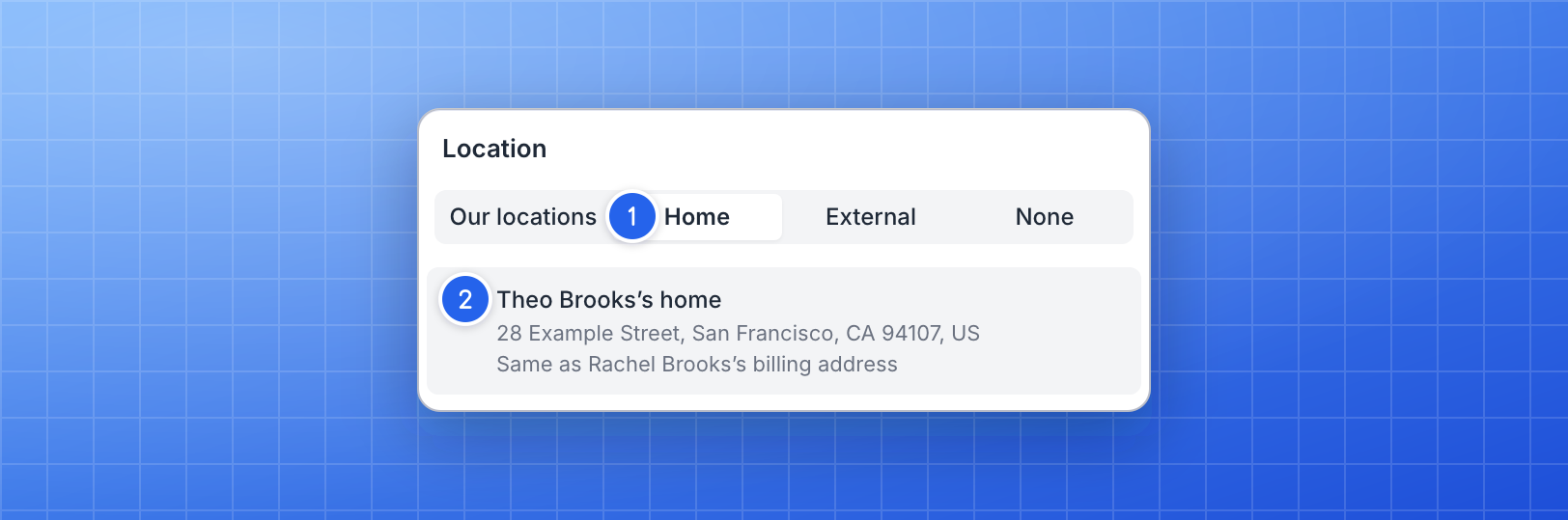
To schedule a lesson at a student's home in Tutorbase, add the student in New lesson, then under Location select Home. The lesson shows the student's home and the Home address saved on the student's profile. Your own rooms stay under Our locations.
Before you start
The student needs a home address on their profile. A student can share the payer's address: for example, Theo Brooks's Home address is Same as Rachel Brooks’s billing address.
To change it, open the student's profile, select Edit, then select the Home address. Choose Same as the payer's billing address, Other address or No home address, then select Save changes. Keep the payer's address when the student lives with the payer: the home then changes when the payer's billing address changes. Choose Other address only when the student lives somewhere else.
Schedule the lesson at the student's home
Open Calendar, select New, then Lesson. New lesson opens.
Set the service, subject, teacher, date and time as for any one-time lesson.
Under Students, add the student. Add the student before the location: Home lists only students who are already in the lesson.
Under Location, select the location. Location opens on Our locations.
- Select Home.
- Check the student's home and address, for example Theo Brooks’s home. With one student in the lesson, Tutorbase chooses that student's home straight away and closes Location; the Location field then shows the home and its address.
Type the lesson's title and select Review & save. Review lesson shows the home and its address under Location.
Check who is notified under Notifications, then select Create lesson. A student without an email address is not selected.
Choose whose home in a group lesson
In a lesson with several students, Home lists each student who has a home address and chooses none until you pick one. The lesson uses the one home you pick.
Add a home address from the lesson
When a student in the lesson has no home address, Home offers to add that student's home address. If the student lives with the payer, don't type the address here: set the profile's Home address to Same as the payer's billing address instead, so it follows the payer's address. Use the lesson's Add for a student who lives somewhere else.
Select Add for that student, for example Add Theo Brooks’s home address. The form says where the address is saved, such as Saved on Theo Brooks’s profile.
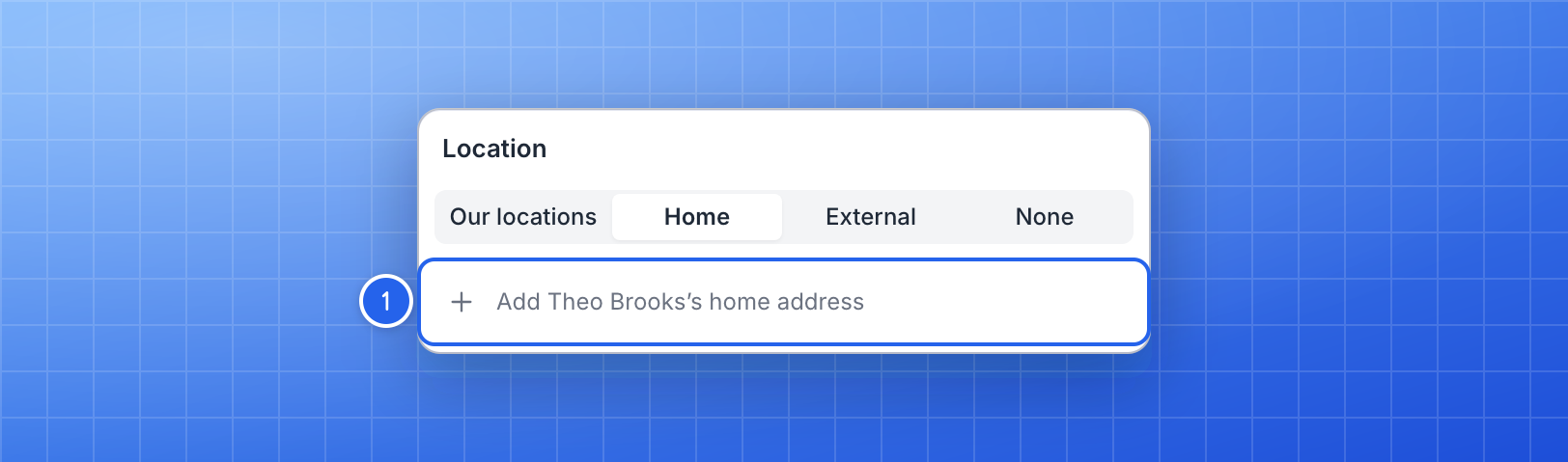
Choose the Country first: Save home address stays unavailable until a country is chosen. Then type Address line 1 and the rest of the address.
Select Save home address. Tutorbase saves the address on the student's profile as Other address and chooses that home for the lesson.
After you create the lesson
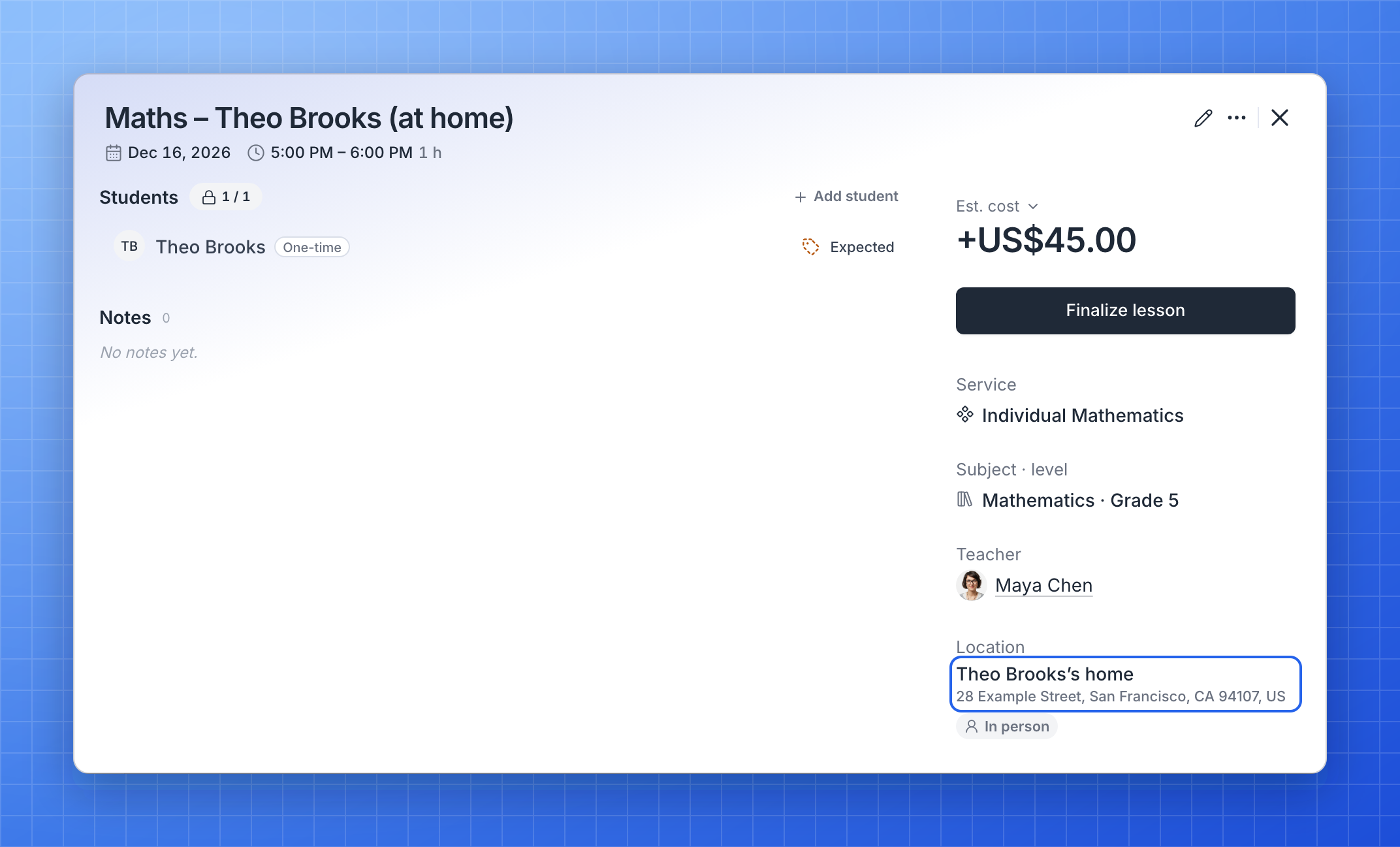
The lesson shows the student's home and its address, for example Theo Brooks’s home and Rachel Brooks's billing address, with In person.
Tutorbase requests lesson emails for the people selected under Notifications, for example the payer and the teacher. Check each email in Settings > Email history; a Sent record does not confirm inbox receipt.
The lesson shows the student's current Home address. When the address changes on the profile, the lesson shows the new address. When the student has no home address, the lesson shows the student's home with Address missing; add the address on the student's profile.
Common questions
Do I have to type the family's address for every home lesson?
No. A home lesson uses the Home address on the student's profile, which can follow the payer's billing address. Type an address only when the student has none, from the lesson's Home list or on the student's profile.
What happens to home lessons when a family moves?
Update the payer's billing address, or the student's Home address if it is their own. A student whose Home address is Same as the payer's billing address follows that address when it changes, and home lessons show the student's current address.
Why does the lesson say Address missing?
The student in the lesson has no Home address on their profile. Open the student's profile, select Edit, then set the Home address and select Save changes.
Why does Home say no student has a home address?
Home lists only students already in the lesson. Add the student under Students first, then select Home.