
The 12 Best Billing Software for Tutoring Businesses in 2026
Published: January 8, 2026 by Amy Ashford


Key Takeaway: The best billing software for tutoring businesses centralizes scheduling, invoicing, and payroll to reduce admin time. For growing centers, all-in-one platforms like Tutorbase automate complex operations, from attendance-driven invoicing and prepaid credit management to multi-rate teacher payroll, eliminating the errors and costs of using fragmented tools.
As a tutoring center owner, you spend countless hours piecing together schedules in Google Calendar, manually creating invoices in QuickBooks, and wrestling with teacher payroll in spreadsheets. This fragmented system costs you money through missed payments, booking errors, and up to 10+ hours per week in administrative burden. The right software transforms this chaos into a streamlined, profitable engine for growth.
Finding the best billing software for tutoring businesses means moving beyond simple invoicing. It requires a system that understands the complexities of your operation, from per-package pricing and prepaid credits to automated payroll. This guide analyzes the top platforms to help you select a tool that will stop the manual work and start scaling your business. For a comprehensive guide on launching, refer to this checklist on how to start a tutoring business.
1. Tutorbase
Tutorbase is an AI-powered tutoring management software that replaces fragmented tools like Teachworks, TutorCruncher, and spreadsheets. It is the best billing software for tutoring businesses that have outgrown manual processes, specifically designed for tutoring centers and language schools with 5-100+ teachers across multiple branches. The platform consolidates scheduling, billing, payroll, and student tracking into a single system built to handle 50 to 10,000+ lessons per week.
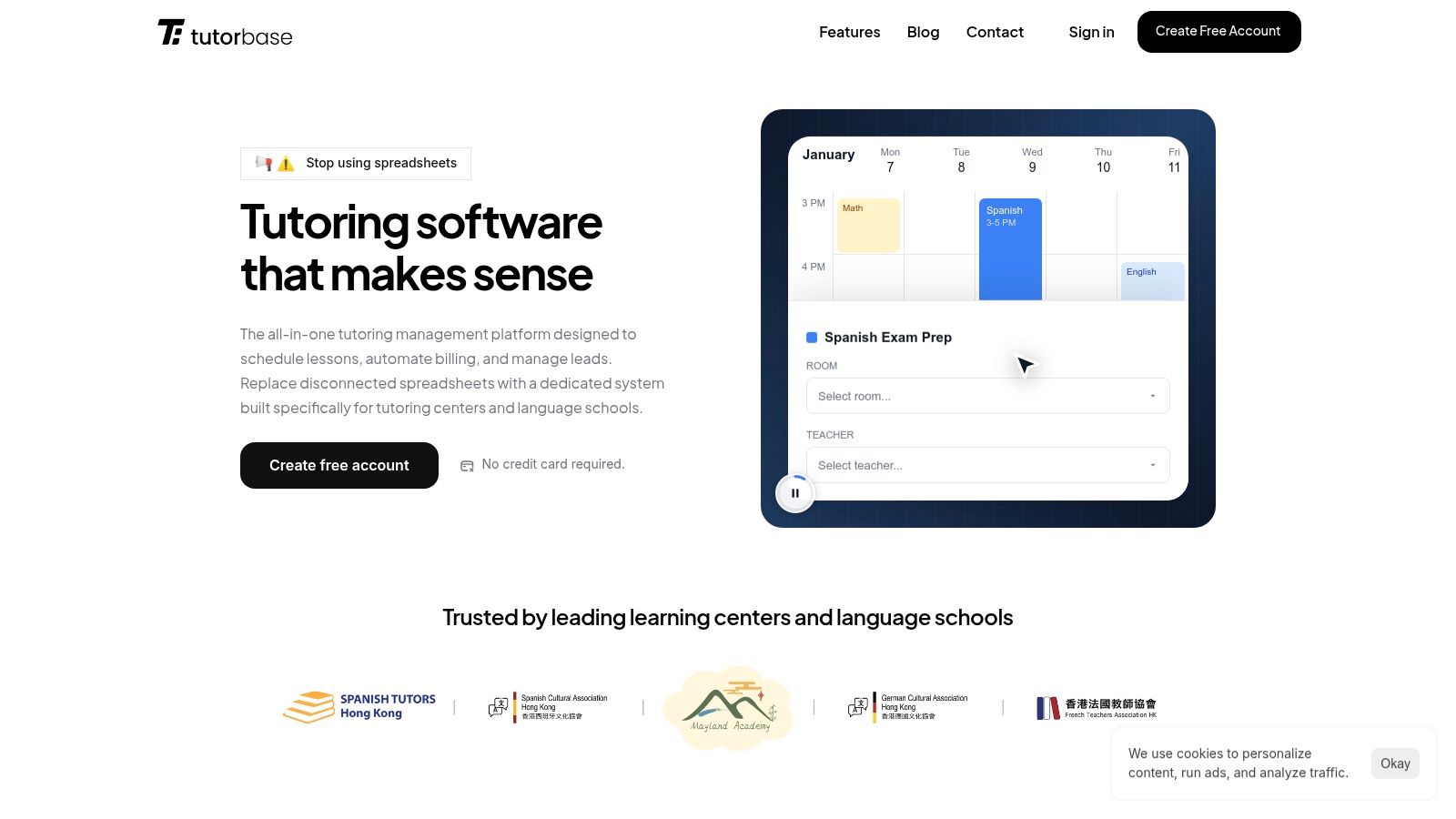
Tutorbase addresses the core problem of administrative burden with deep automation. Its AI-powered "Find Slot" tool reduces new student booking time from 10+ minutes to under 2 minutes by instantly finding valid teacher, room, and time combinations. "Find Spot" helps fill empty seats in existing group classes, maximizing capacity and revenue. This level of intelligence eliminates double-bookings and manual scheduling work.
Standout Features and Use Cases
The platform excels in financial management. Invoices are automatically generated from lesson attendance, eliminating manual data entry. Its native prepaid credit system functions like a wallet, automatically deducting from a student's balance as lessons are consumed and sending low-balance alerts to prompt renewals. This feature alone helps increase monthly renewals by up to 42%.
The pricing and payroll engines handle complex business rules. "Policy Packs" allow you to set layered pricing (per-hour, per-package, subscription) and automated cancellation policies. The payroll module supports diverse models, including hourly rates, revenue sharing, and base-plus-variable compensation, solving a major pain point for centers with varied teacher contracts. For more insights on how to structure your pricing, Tutorbase offers guidance on calculating the average price for tutoring services.
Pricing & Implementation
Tutorbase does not publish pricing plans. It provides custom quotes based on the size and complexity of your operation. This approach ensures you receive a solution tailored to your needs, but it requires contacting their team for a demo.
Best For: Multi-location tutoring centers, language schools (Spanish, French, Mandarin), and test prep academies (SAT, ACT, IELTS) that need to automate complex scheduling, billing, and payroll.
Pros:
Reduces admin time by up to 60% through end-to-end automation.
AI-powered scheduling and conflict detection prevent double-bookings and optimize resource use.
Handles complex pricing (packages, subscriptions) and payroll (revenue share, premiums).
Native CRM with a WhatsApp widget streamlines lead management, increasing onboarding speed by 3x.
Proven to scale for large operations managing 10,000+ lessons per week.
Cons:
No public pricing requires a direct sales inquiry for a custom quote.
The comprehensive feature set may be overly complex for solo tutors.
Website: https://tutorbase.com
2. TutorCruncher
Best for: Small to mid-sized tutoring agencies needing an all-in-one system with hands-on support.
TutorCruncher is a comprehensive management platform designed specifically for the operational needs of tutoring companies. It excels at creating a seamless link between scheduled lessons, client billing, and tutor payments, making it a strong contender for the best billing software for tutoring businesses that are scaling up. The system is built to handle the entire back-office workflow, from client relationship management (CRM) to scheduling and automated payroll.
Its strength lies in its purpose-built design. Instead of adapting a generic invoicing tool, TutorCruncher’s features are tailored for tutoring scenarios. For example, it automatically generates invoices based on completed lessons and predefined rates, which significantly reduces manual data entry and potential errors. The platform supports various billing models, including upfront payments, lesson packages, and recurring subscriptions, offering flexibility for different business structures.
Key Features and Pricing
Automated Invoicing: Creates invoices directly from lesson logs and attendance records.
Flexible Billing: Supports pay-as-you-go, package, and subscription billing models.
Integrated Payroll: Calculates tutor payments based on custom compensation rules. You can find more details on how TutorCruncher streamlines the connection between sessions and payroll management on tutorbase.com.
CRM and Scheduling: Manages client data and lesson appointments within the same ecosystem.
Pricing is a pay-as-you-go model based on your revenue, plus standard payment processing fees from Stripe or GoCardless. This can be cost-effective for smaller agencies but may become less economical at very high volumes.
Our Take: TutorCruncher is an excellent choice for businesses graduating from spreadsheets. Its dedicated training and implementation support provide a structured onboarding process, which is invaluable for teams adopting their first comprehensive management system. It effectively bridges the gap between basic tools and enterprise-level software.
Website: https://tutorcruncher.com
3. Teachworks
Best for: Tutoring businesses and multi-location centers needing calendar-driven billing and strong third-party integrations.
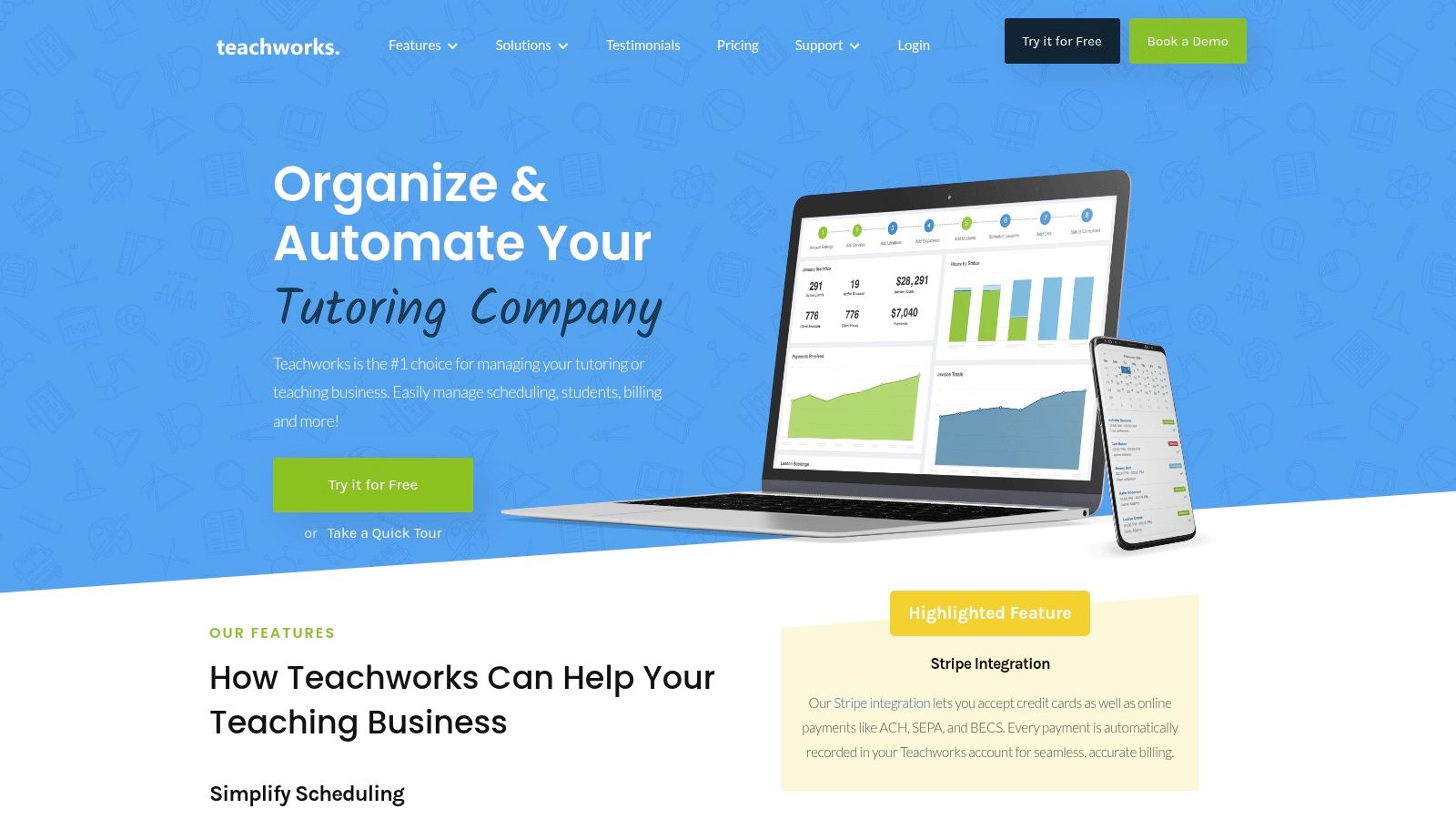
Teachworks is a well-established management system built for education businesses, from small studios to multi-location enterprises. It distinguishes itself with a calendar-centric approach, where billing and payroll are direct consequences of scheduled and completed lessons. This design ensures that invoicing is always accurate and tied to actual services rendered, making it a reliable option for the best billing software for tutoring businesses that prioritize precision.
The platform is designed for flexibility, allowing businesses to automate invoicing on various cadences like per-lesson, weekly, or monthly. Its strength lies in its ecosystem of add-ons and integrations. By connecting with tools like QuickBooks Online for accounting, Stripe for payment processing (including ACH for U.S. clients), and Lessonspace for virtual classrooms, Teachworks acts as a central hub that enhances your existing operational toolkit rather than forcing a complete replacement.
Key Features and Pricing
Calendar-Driven Invoicing: Automatically generates single, bulk, or recurring invoices directly from calendar data.
Integrated Payments: Accepts credit card payments via Stripe and supports ACH transfers for U.S.-based businesses.
Customizable Billing: Supports sales tax calculations and allows for customized invoice email templates.
Rich Integrations: Connects with key software like QuickBooks Online, Mailchimp, and online teaching platforms.
Pricing is based on the number of lessons scheduled per month, with all plans including unlimited students and teachers. This model scales with your business activity, but the per-lesson fees can lead to variable costs during peak seasons.
Our Take: Teachworks is a solid, scalable choice for businesses that want to build an integrated software stack. Its unlimited user policy is a major plus for growing teams, and its robust API and add-on library provide the flexibility to tailor the system to specific operational needs without being locked into a single, rigid platform.
Website: https://teachworks.com
4. TutorBird
Best for: Private tutors and small tutoring centers seeking an easy-to-use, all-inclusive management tool.
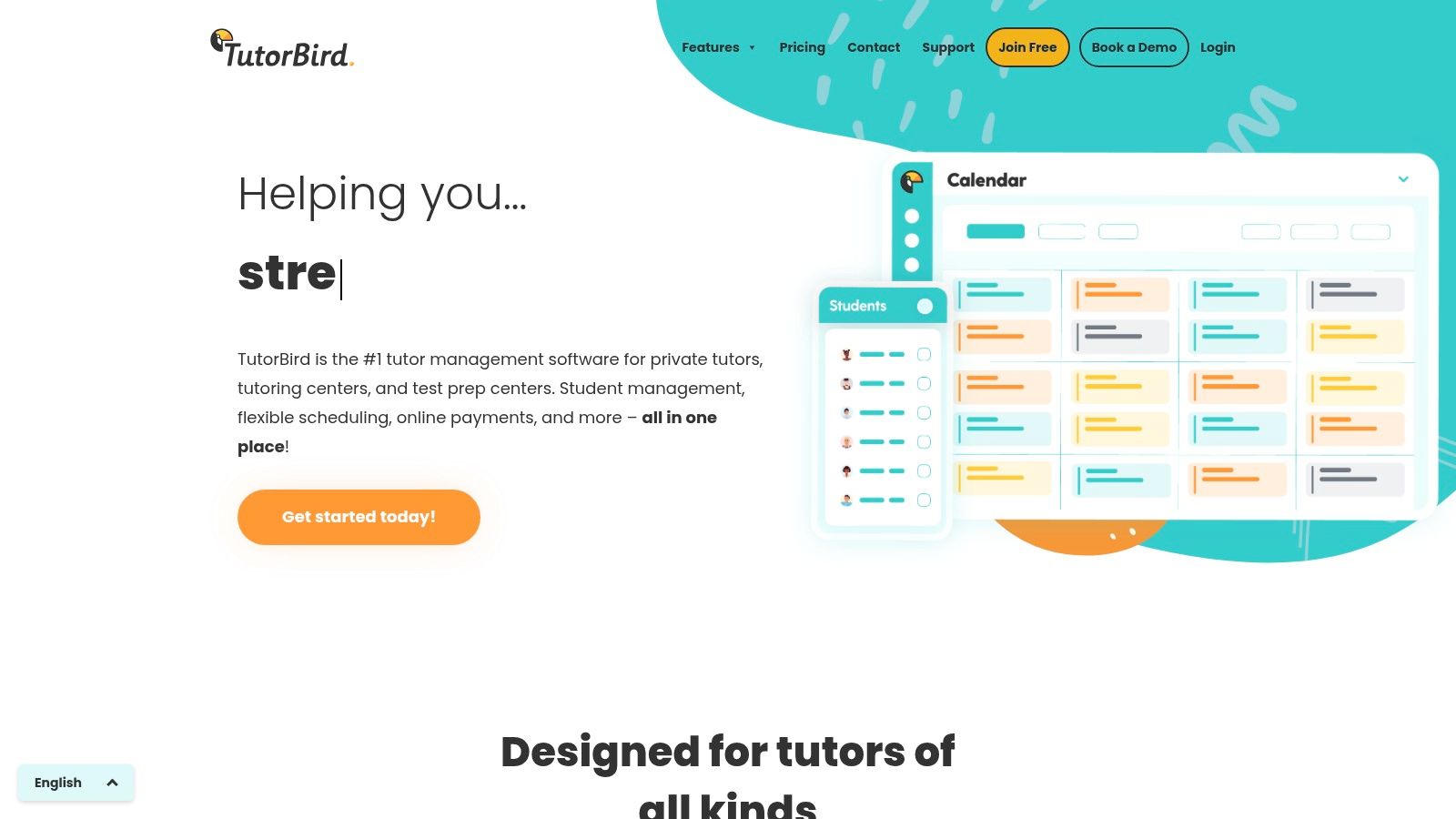
TutorBird is designed to simplify the administrative side of tutoring for solo operators and small, growing teams. It offers a straightforward approach to combining scheduling, student management, and billing into one accessible platform. The system is particularly effective for those who want to automate their core business processes without the complexity of a larger, enterprise-level system, making it a strong choice for the best billing software for tutoring businesses focused on simplicity and efficiency.
Its core strength is its calendar-centric workflow. Tutors can manage schedules, track attendance, and trigger invoices directly from their calendar, creating a seamless and intuitive process. This makes it an ideal step up from using separate tools like Google Calendar and QuickBooks, as it brings everything under one roof. The platform is built for ease of use, allowing new users to get set up and running with minimal technical expertise.
Key Features and Pricing
Calendar-Based Invoicing: Automatically generate invoices based on scheduled and completed lessons, with options for fixed monthly or per-lesson billing.
Online Payments: Integrates with Stripe and PayPal, allowing clients to pay online and set up automatic recurring payments.
Student and Parent Portal: Provides families with access to their schedules, attendance history, and account balances, reducing administrative inquiries.
Communication Tools: Includes bulk email and SMS capabilities to easily communicate with students and parents.
TutorBird offers a simple, flat-rate pricing model per tutor, per month, which includes all features. Payment processing fees from Stripe or PayPal are charged separately. This transparent pricing is ideal for businesses that want predictable monthly costs.
Our Take: TutorBird is the perfect solution for individual tutors or small centers that feel overwhelmed by manual administration. Its simple setup and generous automation at a single price point remove major operational headaches. While it lacks some of the advanced, multi-location controls of agency-focused platforms, it provides everything a small but professional tutoring business needs to thrive.
Website: https://www.tutorbird.com
5. Squarespace Scheduling (formerly Acuity)
Best for: Solo tutors and small centers that prioritize client self-booking and upfront payments for packages.
Squarespace Scheduling, formerly known as Acuity, is a powerful appointment management tool that has become popular among service-based entrepreneurs, including independent tutors. While not a full-fledged tutoring management system, it excels at streamlining the front-end booking and payment process, making it a viable option for businesses whose primary need is automating how clients purchase and schedule sessions. Its strength lies in its robust client-facing interface and flexible payment collection options.

The platform allows tutors to create a public booking page where clients can view availability and book appointments themselves. This is particularly effective for businesses that operate on a prepay model. You can sell appointment packages (e.g., a bundle of 10 tutoring hours), gift certificates, or even recurring subscriptions for ongoing support. Payment is collected at the time of booking via Stripe, Square, or PayPal, which drastically reduces the need to chase payments after lessons are completed.
Key Features and Pricing
Client Self-Booking: Customizable online portal for clients to schedule, reschedule, and pay.
Appointment Packages: Sell multi-session bundles that clients can redeem over time.
Memberships and Subscriptions: Set up recurring auto-billing for ongoing tutoring arrangements.
Multiple Payment Gateways: Integrates with Stripe, Square, and PayPal for payment processing.
Pricing is subscription-based, with tiers that unlock features like multiple staff calendars, SMS reminders, and advanced package options. This makes it scalable for a growing solo practice or small studio.
Our Take: Squarespace Scheduling is an excellent starting point for tutors who want to professionalize their booking and eliminate payment collection headaches. It is not a comprehensive solution for managing payroll, detailed student records, or multi-room facilities. However, for a business model centered on prepaid packages and self-service scheduling, it is one of the most polished and user-friendly options available.
6. Calendly
Best for: Solo tutors and small teams needing to collect payment at the time of booking for initial consultations or single sessions.
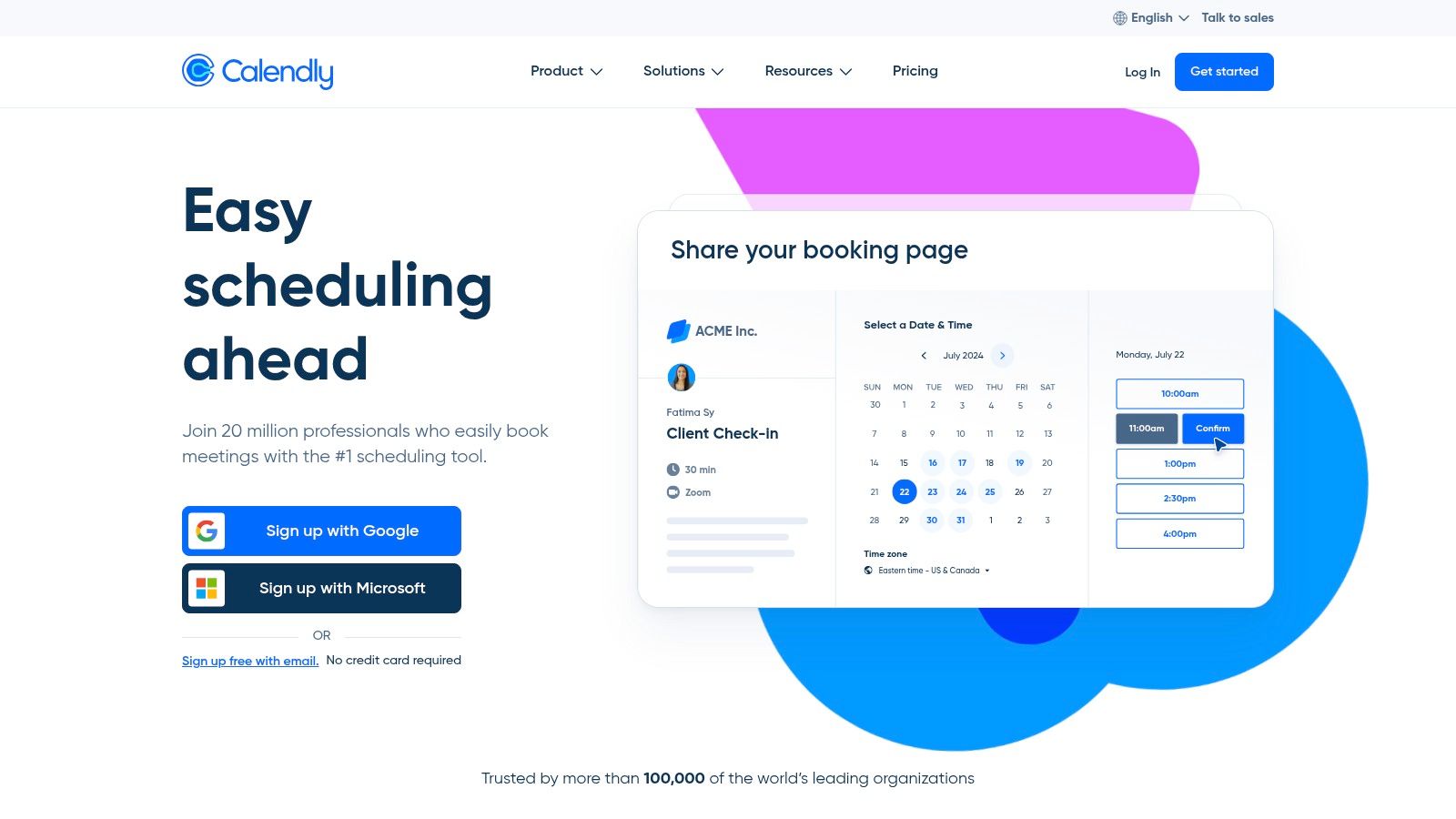
Calendly is primarily an automated scheduling tool, but its payment integration feature earns it a spot as a supplementary tool in the ecosystem of the best billing software for tutoring businesses. It solves a common problem: securing payment for initial consultations, trial lessons, or one-off sessions. By connecting with Stripe or PayPal, you can require clients to pay at the moment they book a time slot, effectively eliminating no-shows for paid introductory sessions.
This platform shines in its simplicity for appointment-based revenue. Instead of chasing payments after a trial lesson, Calendly automates the collection upfront. For service-based businesses like tutoring, managing appointments effectively is as crucial as managing payments; you can further explore how scheduling software streamlines workflow through automated bookings, a principle essential for seamless operations. While not a full-fledged billing system, it excels as a front-end tool to qualify leads and simplify cash flow for per-session services.
Key Features and Pricing
Upfront Payments: Require payment via Stripe or PayPal to confirm a booking.
Team Scheduling: Offers round-robin and collective event types to manage scheduling across multiple tutors.
Automated Reminders: Reduces no-shows with automated email and SMS notifications.
Coupon Codes: Ability to offer discounts for specific event types when using the Stripe integration.
Calendly’s pricing is based on a per-seat model, with a free basic plan and paid tiers that unlock features like payment collection and team scheduling. This makes it an affordable entry point for managing paid bookings.
Our Take: Calendly is not a replacement for a comprehensive tutoring management system, but it's a powerful and affordable tool for a specific job: getting paid before a session happens. It is ideal for tutors who sell single lessons or paid assessments and want to automate that initial financial transaction without the overhead of a complex system.
Website: https://calendly.com
7. Stripe Invoicing and Stripe Billing
Best for: Tutoring businesses with development resources that need enterprise-grade payment infrastructure and custom billing workflows.
Stripe offers a suite of powerful financial tools that, while not a dedicated tutoring management platform, provide the backbone for a highly customized billing system. Stripe Invoicing and Stripe Billing are separate but interconnected products that allow businesses to handle everything from one-off invoices to complex, usage-based subscriptions. This makes it an ideal choice for larger centers or tech-savvy owners wanting to build a bespoke solution on a reliable, globally recognized payment network.
Its primary advantage is its flexibility and extensibility. Unlike all-in-one systems with predefined workflows, Stripe’s APIs allow you to build billing logic that perfectly matches your operational model. You can create hosted invoice pages, automate payment reminders, and offer a professional customer portal for clients to manage their own payment methods and subscriptions. This level of control is perfect for businesses that find off-the-shelf software too restrictive.
Key Features and Pricing
Hosted Invoices: Creates professional, trackable invoices with their own payment links.
Flexible Billing Models: Supports subscriptions, metered billing, and packages through Stripe Billing.
Broad Payment Support: Accepts credit cards, ACH transfers, and digital wallets like Apple Pay and Google Pay.
Extensible APIs: Allows for deep integration with custom-built CRMs, scheduling tools, or management dashboards.
Pricing is layered. Standard payment processing fees apply to all transactions. On top of that, Stripe Invoicing charges a small percentage per paid invoice, and Stripe Billing has a separate percentage fee based on recurring revenue volume.
Our Take: Stripe is the power-user’s choice. It’s not a turnkey solution for tutoring administration, but it provides the essential, enterprise-grade financial plumbing. If you have a developer or are comfortable with APIs, you can build a highly efficient, automated billing machine that is more scalable and customizable than most dedicated tutoring software.
Website: https://stripe.com/invoicing and https://stripe.com/billing
8. Square Invoices / Square Appointments
Best for: Tutoring centers and solo tutors who need a simple, integrated system for both online and in-person payments.
Square offers a powerful combination of invoicing and appointment scheduling that is ideal for tutoring businesses that interact with clients both online and face-to-face. While not a dedicated tutoring management platform, its strength lies in its unified payment ecosystem. Businesses already using Square for in-person card payments can seamlessly extend their operations to include professional, automated online billing without learning a new system.
This makes it one of the best billing software for tutoring businesses that require a straightforward, all-in-one payment solution. Tutors can send one-off or recurring invoices for lesson packages, accept credit card or ACH payments, and even require payment at the time of booking through Square Appointments. The platform's transparent fee structure, especially the cap on ACH fees, is highly beneficial for centers processing large invoices for semester-long programs.
Key Features and Pricing
Unlimited Invoicing: Send unlimited invoices, estimates, and contracts on the free plan.
Flexible Payment Options: Supports card-on-file, recurring billing, partial payments, and Afterpay (buy now, pay later).
Integrated Appointments: Allows clients to book and pay for sessions online, reducing no-shows.
ACH Processing: Offers bank transfers with a competitive 1% fee, capped at $15 per transaction.
Square offers a free plan for basic invoicing and appointments. Paid plans (Plus and Premium) unlock advanced features like custom invoice fields and automated reminders. Appointment plans are priced per location.
Our Take: Square is a fantastic choice for businesses that need a simple, reliable way to manage payments across multiple channels. It's less about comprehensive tutoring management and more about streamlining the payment process itself. If your primary pain point is collecting money efficiently, both online and in-person, Square provides a user-friendly and cost-effective solution.
Website: https://squareup.com/invoices
9. QuickBooks Online
Best for: Tutoring businesses of any size that need a dedicated, accountant-approved accounting system to pair with their scheduling software.
QuickBooks Online is the industry standard for small business accounting, and while not a tutoring-specific platform, its robust invoicing and financial reporting capabilities make it a cornerstone for many education centers. It excels at managing the complete financial health of a business, from tracking income and expenses to handling payroll and preparing for tax season. For tutoring businesses, it often serves as the financial backend, integrating with specialized scheduling software to handle billing.
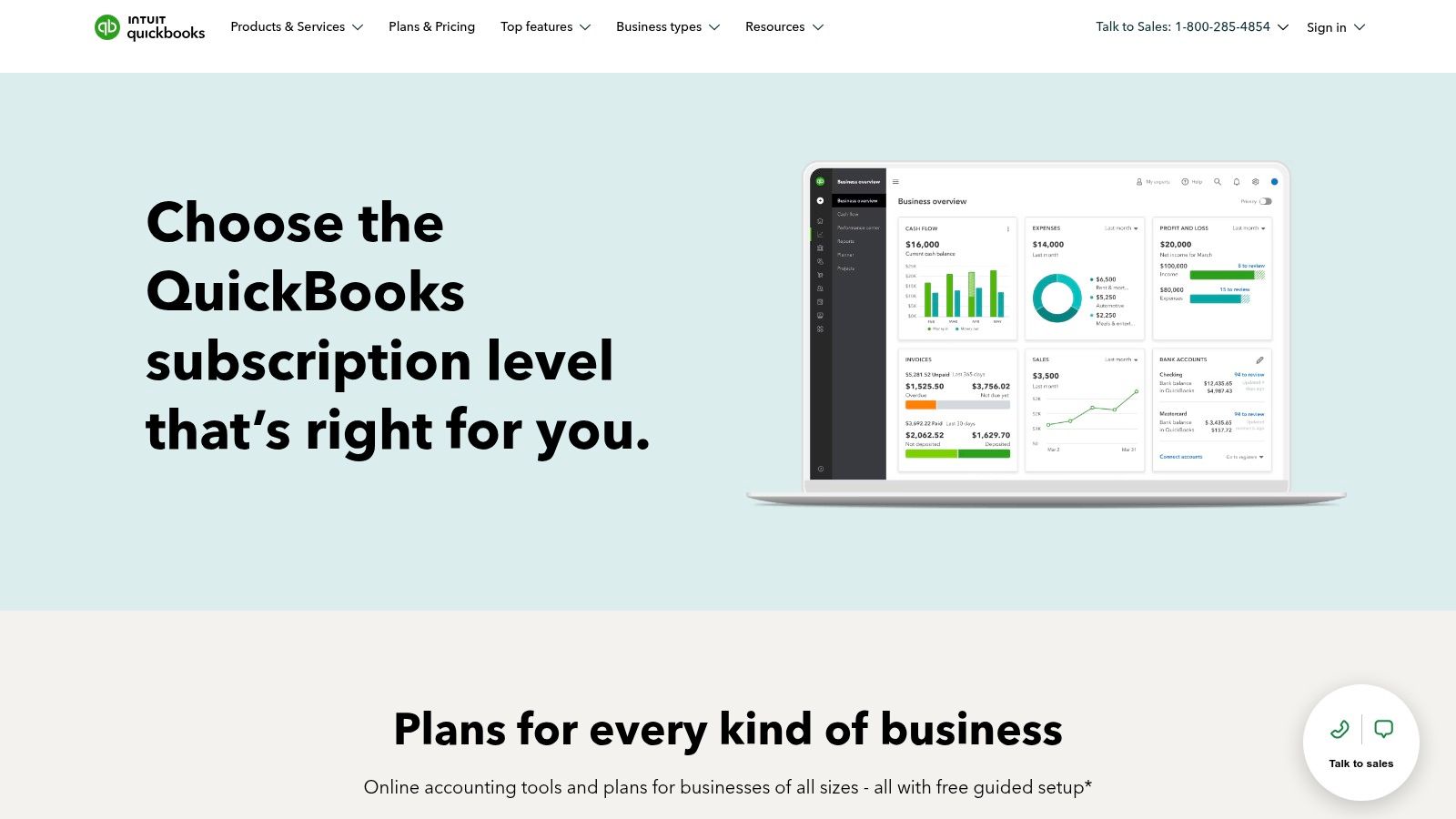
Its primary strength is its universal adoption by accountants and bookkeepers, which simplifies financial management and collaboration. Instead of replacing a CRM, QuickBooks complements it by providing powerful tools for custom invoicing, recurring billing, and accepting online payments. The Plus and Advanced tiers offer project profitability tracking, which is useful for analyzing the financial performance of different courses or tutoring programs.
Key Features and Pricing
Custom Invoices: Create and send professional, branded invoices with options for recurring billing.
Online Payment Acceptance: Allows clients to pay invoices directly via credit card or bank transfer (add-on feature).
Robust Reporting: Comprehensive financial reports on profit and loss, balance sheets, and cash flow.
Widespread Integration: Connects with numerous tutoring management platforms. You can learn more about how to integrate with QuickBooks Online on tutorbase.com.
Pricing is tiered, starting from the Simple Start plan for basic needs and scaling up to the Advanced plan for larger centers. Payment processing fees are separate.
Our Take: QuickBooks Online is a foundational tool, not an all-in-one tutoring solution. It's the best billing software for tutoring businesses that already have a strong scheduling system and need a powerful, dedicated accounting platform to manage their finances professionally. Its familiarity with accountants makes it a safe and scalable choice for financial operations.
10. Zoho Invoice
Best for: Solo tutors or small businesses needing a dedicated, forever-free invoicing tool without a full management system.
Zoho Invoice is a powerful, standalone invoicing and billing solution that is completely free to use. While not a comprehensive tutoring management platform, it offers robust features for businesses whose primary bottleneck is creating, sending, and tracking payments. For a solo tutor or a new business not ready for an all-in-one system, it provides a professional and automated way to manage finances.
Its core strength is its zero-cost subscription model combined with a rich feature set. Users can create unlimited, customized invoices, set up automated payment reminders, and offer clients a self-service portal to view their history and make payments online. The time-tracking feature is particularly useful for tutors who bill by the hour, allowing them to log sessions and convert those hours directly into an invoice. This makes it an excellent candidate for the best billing software for tutoring businesses that need a dedicated financial tool without the overhead of a larger system.
Key Features and Pricing
Unlimited Invoicing: Send unlimited invoices to unlimited clients at no software cost.
Time Tracking: Log billable hours for lessons and apply them directly to invoices.
Client Self-Service Portal: Gives clients a secure place to view invoices and make payments.
Payment Automation: Supports automated reminders for overdue payments and accepts online payments via gateways like Stripe and PayPal.
The software itself is free forever. The only costs are the standard transaction fees charged by the payment gateways you connect, such as Stripe or PayPal.
Our Take: Zoho Invoice is the perfect entry point for tutors graduating from manual invoicing in Word or Excel. It professionalizes your billing process with automation and a client portal at an unbeatable price point, $0. While it doesn't manage scheduling or payroll, its focused, high-quality invoicing capabilities make it a top choice for those prioritizing finances first.
Website: https://www.zoho.com/invoice
11. Xero
Best for: Tutoring businesses that need robust, general-purpose accounting software and plan to integrate it with a separate scheduling system.
Xero is a leading cloud-based accounting platform designed for small and medium-sized businesses, not just tutoring centers. While it isn't a dedicated tutoring management tool, its powerful invoicing, expense tracking, and bank reconciliation features make it a strong contender for handling the financial side of a tutoring operation. It’s an ideal choice for businesses that prefer to pair best-in-class accounting software with a specialized scheduling or management app.
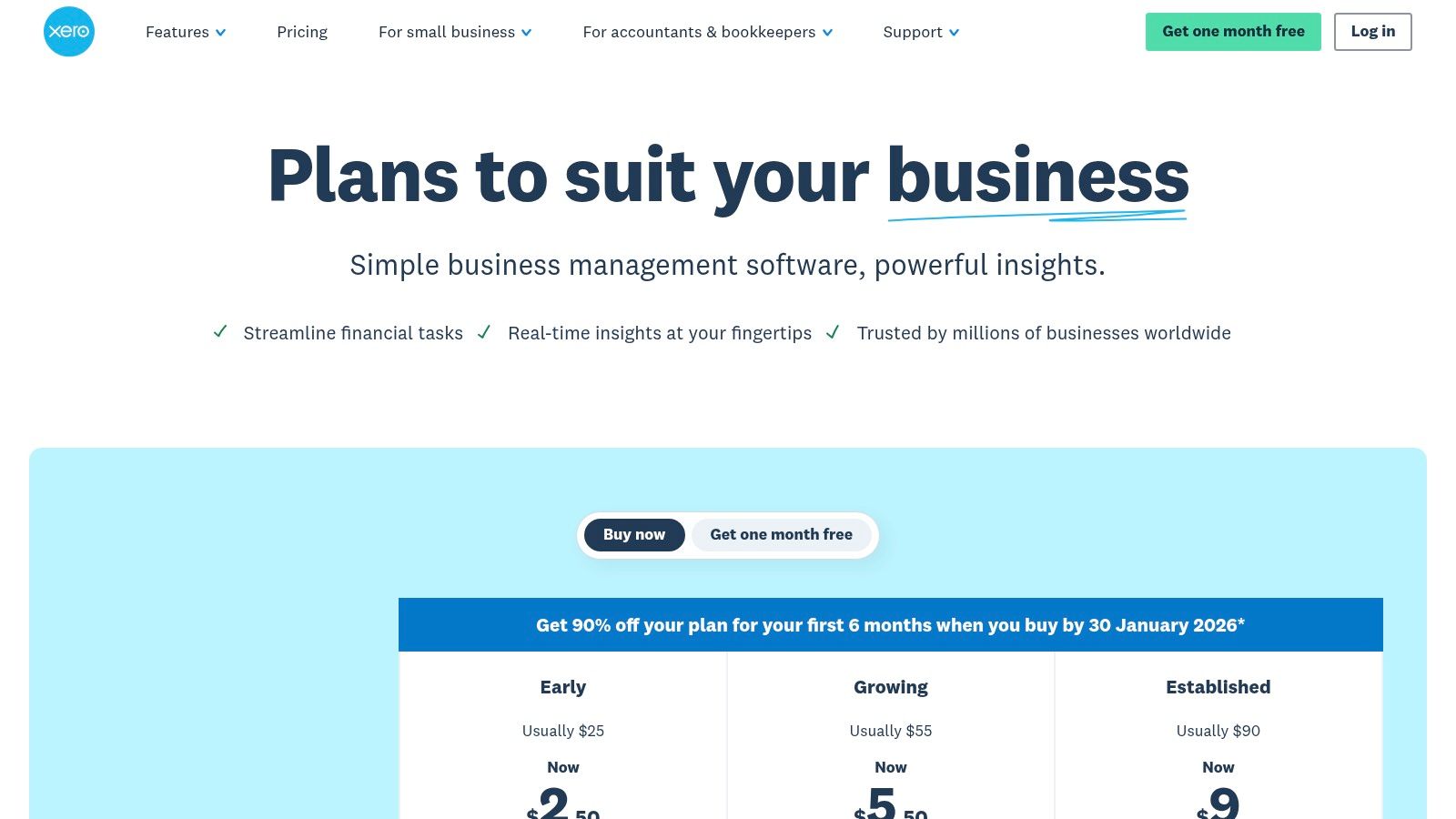
The platform excels at creating professional invoices, accepting online payments, and managing sales tax, which are critical billing functions for any tutoring business. Its strength lies in its comprehensive financial reporting and its vast ecosystem of third-party app integrations. This allows you to connect a dedicated scheduling tool, effectively creating a custom-built system where Xero serves as the financial backbone.
Key Features and Pricing
Professional Invoicing: Send quotes and invoices, accept online payments, and set up automated payment reminders.
Bank Reconciliation: Connects to bank accounts to easily match transactions and maintain accurate records.
Contractor Management: Includes tools for tracking projects and managing payments to 1099 contractors, a common scenario for tutoring centers.
App Ecosystem: Integrates with hundreds of other business apps, allowing for a high degree of customization.
Pricing starts with the "Early" plan and scales up to the "Established" plan, with limitations on invoices and bills per month varying by tier.
Our Take: Xero is a fantastic choice for the financially savvy business owner who wants deep accounting functionality. It's not an all-in-one solution for tutoring, so you must be prepared to use it alongside another platform for scheduling and student management. However, for pure financial control and reporting, it outperforms many niche tutoring software options.
Website: https://www.xero.com/us/
12. Capterra
Best for: Researching and comparing multiple tutoring software options based on user reviews.
Capterra is not a billing software itself, but a comprehensive software directory and review platform. It earns a spot on this list because it is an invaluable research tool for tutoring businesses looking to find the best billing software for their specific needs. The platform aggregates hundreds of software solutions, allowing you to filter specifically for tutoring management systems that include features like billing and invoicing.
Its primary strength is the wealth of crowdsourced user reviews, which provide real-world insights that go beyond marketing claims. For a tutoring center owner, this means you can validate vendor promises and understand potential drawbacks before committing to a demo. The ability to directly compare features, pricing models, and user satisfaction ratings side-by-side saves significant time in the shortlisting phase of your software search.
Key Features and Pricing
Filterable Directory: Narrows down tutoring software by essential features like Billing & Invoicing, scheduling, and payroll.
User Reviews: Provides authentic, detailed feedback from other tutoring professionals on software usability and support.
Comparison Tools: Allows you to view key vendors and their offerings in a side-by-side format.
Pricing Information: Displays starting prices and indicates whether a free trial or free version is available.
Access to Capterra is free for users. The platform is supported by software vendors who pay for placement and lead generation.
Our Take: Capterra is the ideal starting point for your software evaluation process. Instead of relying on search engines alone, use its filters to create a shortlist of 3-5 relevant platforms. Always verify pricing directly on the vendor's website, as directory listings can sometimes be outdated. It's a powerful tool for discovery and validation.
Top 12 Tutoring Billing Software Comparison
Product | Target audience | Core features | Unique selling points | Pricing / Notes |
|---|---|---|---|---|
Tutorbase (Recommended) | Mid-size & multi-branch tutoring centres, language schools, test-prep, music schools (5–100+ teachers; 50–10k+ lessons/week) | AI scheduling (Find Slot/Spot), attendance-driven invoicing, payroll, room & multi-branch management, CRM, prepaid credits | End-to-end automation from attendance→invoice, native prepaid wallet, advanced payroll models, WhatsApp lead capture, scales to 10k+ lessons | Custom quote; flexible models (per-hour/lesson/package/subscription) |
TutorCruncher | Agencies & growing multi-tutor teams | CRM, scheduling, automated invoicing, payments, tutor payroll | Purpose-built tutoring workflows, training & implementation support | Subscription + payment processing fees; pay-as-you-go can rise at scale |
Teachworks | Education centres & multi-location schools | Calendar-driven billing, auto-invoices, Stripe/ACH support, integrations (QuickBooks, lesson tools) | Rich add-ons & integrations, unlimited users, calendar → billing automation | Subscription + per-lesson usage fees; ACH via Stripe (US) |
TutorBird | Private tutors & small tutoring centres | Scheduling, attendance, auto-invoicing, Stripe/PayPal payments, SMS/email | Simple setup, all core features bundled at one price | Flat subscription; payment gateway fees separate |
Squarespace Scheduling | Centres selling prepay packages, appointments, memberships | Client self-booking, packages/memberships, deposits, payments (Stripe/Square/PayPal) | Strong checkout/packaging & bundled checkout experience | Tiered subscription; not a full CRM/payroll platform |
Calendly | Intake, trial lessons, team scheduling | Paid bookings at scheduling, team routing (round‑robin), reminders, coupon support | Fast way to require payment for trials; affordable per-seat | Per-seat pricing; limited invoicing/payroll capabilities |
Stripe Invoicing / Billing | Teams needing enterprise payment infrastructure or custom workflows | Hosted invoices, subscriptions/metered billing, dunning, customer portal, APIs | Enterprise-grade payments, extensible APIs for custom integrations | Per-invoice / billing fees + payment processing; requires config |
Square Invoices / Appointments | Businesses combining online & in-person payments | Recurring & one-off invoices, ACH with fee caps, card-on-file, appointment booking | Unified in-person/online payments; transparent ACH fee caps | Free/Plus/Premium plans; processing fees apply |
QuickBooks Online | Centres needing full accounting & bookkeeping | Invoicing, payments add-on, reporting, project/job profitability, integrations | Trusted by accountants/bookkeepers; robust financial reporting | Tiered subscription; payment processing priced separately |
Zoho Invoice | Small centres wanting free invoicing | Unlimited invoices, reminders, client portal, time tracking | Forever-free subscription for invoicing + mobile apps | Free software; payment gateway fees (Stripe/PayPal) apply |
Xero | SMBs wanting cloud accounting & contractor tools | Invoicing, bank reconciliation, sales tax, project tracking, 1099 tools | Strong add-on ecosystem; competitive SMB accounting | Tiered subscription; not tutoring-specific |
Capterra | Buyers shortlisting tutoring software | Filterable vendor directory, pricing snapshots, user reviews, buyer guides | Crowdsourced reviews for validation; time‑saving shortlist tool | Free to use; sponsored placements may bias ordering |
How do you choose the right billing software for your tutoring center?
To choose the right software, you must analyze your operational complexity and biggest administrative pain points. The best billing software for your tutoring business depends entirely on your growth stage. While solo tutors can use simple tools like Calendly and QuickBooks, growing centers face bottlenecks that require an all-in-one platform.
For a new tutor, a fragmented system can work. But as you hire teachers, add locations, or offer complex pricing, manual work consumes your time. Cross-referencing calendars, calculating payroll in spreadsheets, and creating invoices by hand lead to errors and cash flow delays. This is the point where a unified platform like Tutorbase becomes a necessity for growth.
A Framework for Your Decision
To make an informed decision, evaluate your needs against these core operational pillars. Your answers will guide you toward the right category of software.
Scheduling Complexity: Do you manage group classes, multi-branch rooms, and recurring lessons? A generic scheduler will cause double-bookings and waste capacity. You need a system with built-in conflict detection and resource management.
Billing and Invoicing Automation: Do you need to automatically generate invoices from lesson attendance? Consider your need for prepaid credit packages, automated low-balance alerts, and flexible billing cadences. Manual invoicing is a direct drain on your time.
Payroll and Teacher Management: Do you use complex payroll rules like revenue sharing or per-student bonuses? As your team grows, manual payroll becomes a high-risk task. An integrated system that calculates payroll from attendance data ensures accuracy.
Growth and Scalability: Will your software support more teachers, locations, or hybrid programs in two years? A platform built for multi-branch operations, like Tutorbase, prevents painful data migrations as your business gains momentum.
Choosing your software is a strategic decision that directly impacts your profitability. The most successful tutoring centers invest in a centralized system that transforms their administration from a chaotic cost center into a streamlined, automated engine for growth.
Frequently Asked Questions
What is tutoring billing software?
Tutoring billing software is a specialized tool that automates the financial operations of a tutoring business. It handles tasks like creating and sending invoices based on lesson attendance, processing online payments, managing prepaid lesson packages or credits, and calculating teacher payroll. The best systems integrate these functions with scheduling and student management.
How do I automate my tutoring billing?
You can automate tutoring billing by using an all-in-one management platform like Tutorbase. First, you set up pricing rules (e.g., per-hour, per-package). Next, you schedule lessons and track student attendance in the system. The software then automatically generates accurate invoices based on the completed lessons and sends them to parents, significantly reducing manual work.
Can I use QuickBooks for my tutoring business?
Yes, you can use QuickBooks for the accounting side of your tutoring business. It is excellent for tracking overall income, expenses, and financial reporting. However, QuickBooks does not manage scheduling, attendance, or complex tutoring-specific payroll. Most centers use it alongside a dedicated tutoring management platform that handles daily operations and syncs financial data to QuickBooks.
What is the best alternative to Teachworks or TutorCruncher?
Tutorbase is the best alternative to Teachworks and TutorCruncher for tutoring centers that are scaling up. While Teachworks and TutorCruncher are good for smaller operations, Tutorbase is built to handle higher complexity, including multi-branch room management, AI-powered scheduling to prevent conflicts, more advanced payroll models (like revenue share), and native multi-brand support from a single dashboard.
How does tutoring software help with payroll?
Tutoring software helps with payroll by automatically calculating teacher pay based on their completed lessons. You can set custom pay rates for each teacher (e.g., hourly, per-student, revenue share). The system tracks attendance and applies these rates, generating accurate payroll reports. This eliminates manual spreadsheet calculations and ensures teachers are paid correctly and on time.
Ready to eliminate administrative chaos and reclaim 60% of your time? Tutorbase is the all-in-one AI platform designed by tutoring owners to solve these exact challenges. It unifies scheduling, automated billing, and complex payroll into one system. Stop juggling spreadsheets and see how a purpose-built solution can accelerate your growth. Schedule a demo at tutorbase.com/register today.
The 12 Best Billing Software for Tutoring Businesses in 2026
Published: January 7, 2026 by Amy Ashford


Key Takeaway: The best billing software for tutoring businesses centralizes scheduling, invoicing, and payroll to reduce admin time. For growing centers, all-in-one platforms like Tutorbase automate complex operations, from attendance-driven invoicing and prepaid credit management to multi-rate teacher payroll, eliminating the errors and costs of using fragmented tools.
As a tutoring center owner, you spend countless hours piecing together schedules in Google Calendar, manually creating invoices in QuickBooks, and wrestling with teacher payroll in spreadsheets. This fragmented system costs you money through missed payments, booking errors, and up to 10+ hours per week in administrative burden. The right software transforms this chaos into a streamlined, profitable engine for growth.
Finding the best billing software for tutoring businesses means moving beyond simple invoicing. It requires a system that understands the complexities of your operation, from per-package pricing and prepaid credits to automated payroll. This guide analyzes the top platforms to help you select a tool that will stop the manual work and start scaling your business. For a comprehensive guide on launching, refer to this checklist on how to start a tutoring business.
1. Tutorbase
Tutorbase is an AI-powered tutoring management software that replaces fragmented tools like Teachworks, TutorCruncher, and spreadsheets. It is the best billing software for tutoring businesses that have outgrown manual processes, specifically designed for tutoring centers and language schools with 5-100+ teachers across multiple branches. The platform consolidates scheduling, billing, payroll, and student tracking into a single system built to handle 50 to 10,000+ lessons per week.

Tutorbase addresses the core problem of administrative burden with deep automation. Its AI-powered "Find Slot" tool reduces new student booking time from 10+ minutes to under 2 minutes by instantly finding valid teacher, room, and time combinations. "Find Spot" helps fill empty seats in existing group classes, maximizing capacity and revenue. This level of intelligence eliminates double-bookings and manual scheduling work.
Standout Features and Use Cases
The platform excels in financial management. Invoices are automatically generated from lesson attendance, eliminating manual data entry. Its native prepaid credit system functions like a wallet, automatically deducting from a student's balance as lessons are consumed and sending low-balance alerts to prompt renewals. This feature alone helps increase monthly renewals by up to 42%.
The pricing and payroll engines handle complex business rules. "Policy Packs" allow you to set layered pricing (per-hour, per-package, subscription) and automated cancellation policies. The payroll module supports diverse models, including hourly rates, revenue sharing, and base-plus-variable compensation, solving a major pain point for centers with varied teacher contracts. For more insights on how to structure your pricing, Tutorbase offers guidance on calculating the average price for tutoring services.
Pricing & Implementation
Tutorbase does not publish pricing plans. It provides custom quotes based on the size and complexity of your operation. This approach ensures you receive a solution tailored to your needs, but it requires contacting their team for a demo.
Best For: Multi-location tutoring centers, language schools (Spanish, French, Mandarin), and test prep academies (SAT, ACT, IELTS) that need to automate complex scheduling, billing, and payroll.
Pros:
Reduces admin time by up to 60% through end-to-end automation.
AI-powered scheduling and conflict detection prevent double-bookings and optimize resource use.
Handles complex pricing (packages, subscriptions) and payroll (revenue share, premiums).
Native CRM with a WhatsApp widget streamlines lead management, increasing onboarding speed by 3x.
Proven to scale for large operations managing 10,000+ lessons per week.
Cons:
No public pricing requires a direct sales inquiry for a custom quote.
The comprehensive feature set may be overly complex for solo tutors.
Website: https://tutorbase.com
2. TutorCruncher
Best for: Small to mid-sized tutoring agencies needing an all-in-one system with hands-on support.
TutorCruncher is a comprehensive management platform designed specifically for the operational needs of tutoring companies. It excels at creating a seamless link between scheduled lessons, client billing, and tutor payments, making it a strong contender for the best billing software for tutoring businesses that are scaling up. The system is built to handle the entire back-office workflow, from client relationship management (CRM) to scheduling and automated payroll.
Its strength lies in its purpose-built design. Instead of adapting a generic invoicing tool, TutorCruncher’s features are tailored for tutoring scenarios. For example, it automatically generates invoices based on completed lessons and predefined rates, which significantly reduces manual data entry and potential errors. The platform supports various billing models, including upfront payments, lesson packages, and recurring subscriptions, offering flexibility for different business structures.
Key Features and Pricing
Automated Invoicing: Creates invoices directly from lesson logs and attendance records.
Flexible Billing: Supports pay-as-you-go, package, and subscription billing models.
Integrated Payroll: Calculates tutor payments based on custom compensation rules. You can find more details on how TutorCruncher streamlines the connection between sessions and payroll management on tutorbase.com.
CRM and Scheduling: Manages client data and lesson appointments within the same ecosystem.
Pricing is a pay-as-you-go model based on your revenue, plus standard payment processing fees from Stripe or GoCardless. This can be cost-effective for smaller agencies but may become less economical at very high volumes.
Our Take: TutorCruncher is an excellent choice for businesses graduating from spreadsheets. Its dedicated training and implementation support provide a structured onboarding process, which is invaluable for teams adopting their first comprehensive management system. It effectively bridges the gap between basic tools and enterprise-level software.
Website: https://tutorcruncher.com
3. Teachworks
Best for: Tutoring businesses and multi-location centers needing calendar-driven billing and strong third-party integrations.
Teachworks is a well-established management system built for education businesses, from small studios to multi-location enterprises. It distinguishes itself with a calendar-centric approach, where billing and payroll are direct consequences of scheduled and completed lessons. This design ensures that invoicing is always accurate and tied to actual services rendered, making it a reliable option for the best billing software for tutoring businesses that prioritize precision.
The platform is designed for flexibility, allowing businesses to automate invoicing on various cadences like per-lesson, weekly, or monthly. Its strength lies in its ecosystem of add-ons and integrations. By connecting with tools like QuickBooks Online for accounting, Stripe for payment processing (including ACH for U.S. clients), and Lessonspace for virtual classrooms, Teachworks acts as a central hub that enhances your existing operational toolkit rather than forcing a complete replacement.

Key Features and Pricing
Calendar-Driven Invoicing: Automatically generates single, bulk, or recurring invoices directly from calendar data.
Integrated Payments: Accepts credit card payments via Stripe and supports ACH transfers for U.S.-based businesses.
Customizable Billing: Supports sales tax calculations and allows for customized invoice email templates.
Rich Integrations: Connects with key software like QuickBooks Online, Mailchimp, and online teaching platforms.
Pricing is based on the number of lessons scheduled per month, with all plans including unlimited students and teachers. This model scales with your business activity, but the per-lesson fees can lead to variable costs during peak seasons.
Our Take: Teachworks is a solid, scalable choice for businesses that want to build an integrated software stack. Its unlimited user policy is a major plus for growing teams, and its robust API and add-on library provide the flexibility to tailor the system to specific operational needs without being locked into a single, rigid platform.
Website: https://teachworks.com
4. TutorBird
Best for: Private tutors and small tutoring centers seeking an easy-to-use, all-inclusive management tool.
TutorBird is designed to simplify the administrative side of tutoring for solo operators and small, growing teams. It offers a straightforward approach to combining scheduling, student management, and billing into one accessible platform. The system is particularly effective for those who want to automate their core business processes without the complexity of a larger, enterprise-level system, making it a strong choice for the best billing software for tutoring businesses focused on simplicity and efficiency.
Its core strength is its calendar-centric workflow. Tutors can manage schedules, track attendance, and trigger invoices directly from their calendar, creating a seamless and intuitive process. This makes it an ideal step up from using separate tools like Google Calendar and QuickBooks, as it brings everything under one roof. The platform is built for ease of use, allowing new users to get set up and running with minimal technical expertise.

Key Features and Pricing
Calendar-Based Invoicing: Automatically generate invoices based on scheduled and completed lessons, with options for fixed monthly or per-lesson billing.
Online Payments: Integrates with Stripe and PayPal, allowing clients to pay online and set up automatic recurring payments.
Student and Parent Portal: Provides families with access to their schedules, attendance history, and account balances, reducing administrative inquiries.
Communication Tools: Includes bulk email and SMS capabilities to easily communicate with students and parents.
TutorBird offers a simple, flat-rate pricing model per tutor, per month, which includes all features. Payment processing fees from Stripe or PayPal are charged separately. This transparent pricing is ideal for businesses that want predictable monthly costs.
Our Take: TutorBird is the perfect solution for individual tutors or small centers that feel overwhelmed by manual administration. Its simple setup and generous automation at a single price point remove major operational headaches. While it lacks some of the advanced, multi-location controls of agency-focused platforms, it provides everything a small but professional tutoring business needs to thrive.
Website: https://www.tutorbird.com
5. Squarespace Scheduling (formerly Acuity)
Best for: Solo tutors and small centers that prioritize client self-booking and upfront payments for packages.
Squarespace Scheduling, formerly known as Acuity, is a powerful appointment management tool that has become popular among service-based entrepreneurs, including independent tutors. While not a full-fledged tutoring management system, it excels at streamlining the front-end booking and payment process, making it a viable option for businesses whose primary need is automating how clients purchase and schedule sessions. Its strength lies in its robust client-facing interface and flexible payment collection options.

The platform allows tutors to create a public booking page where clients can view availability and book appointments themselves. This is particularly effective for businesses that operate on a prepay model. You can sell appointment packages (e.g., a bundle of 10 tutoring hours), gift certificates, or even recurring subscriptions for ongoing support. Payment is collected at the time of booking via Stripe, Square, or PayPal, which drastically reduces the need to chase payments after lessons are completed.
Key Features and Pricing
Client Self-Booking: Customizable online portal for clients to schedule, reschedule, and pay.
Appointment Packages: Sell multi-session bundles that clients can redeem over time.
Memberships and Subscriptions: Set up recurring auto-billing for ongoing tutoring arrangements.
Multiple Payment Gateways: Integrates with Stripe, Square, and PayPal for payment processing.
Pricing is subscription-based, with tiers that unlock features like multiple staff calendars, SMS reminders, and advanced package options. This makes it scalable for a growing solo practice or small studio.
Our Take: Squarespace Scheduling is an excellent starting point for tutors who want to professionalize their booking and eliminate payment collection headaches. It is not a comprehensive solution for managing payroll, detailed student records, or multi-room facilities. However, for a business model centered on prepaid packages and self-service scheduling, it is one of the most polished and user-friendly options available.
6. Calendly
Best for: Solo tutors and small teams needing to collect payment at the time of booking for initial consultations or single sessions.
Calendly is primarily an automated scheduling tool, but its payment integration feature earns it a spot as a supplementary tool in the ecosystem of the best billing software for tutoring businesses. It solves a common problem: securing payment for initial consultations, trial lessons, or one-off sessions. By connecting with Stripe or PayPal, you can require clients to pay at the moment they book a time slot, effectively eliminating no-shows for paid introductory sessions.
This platform shines in its simplicity for appointment-based revenue. Instead of chasing payments after a trial lesson, Calendly automates the collection upfront. For service-based businesses like tutoring, managing appointments effectively is as crucial as managing payments; you can further explore how scheduling software streamlines workflow through automated bookings, a principle essential for seamless operations. While not a full-fledged billing system, it excels as a front-end tool to qualify leads and simplify cash flow for per-session services.

Key Features and Pricing
Upfront Payments: Require payment via Stripe or PayPal to confirm a booking.
Team Scheduling: Offers round-robin and collective event types to manage scheduling across multiple tutors.
Automated Reminders: Reduces no-shows with automated email and SMS notifications.
Coupon Codes: Ability to offer discounts for specific event types when using the Stripe integration.
Calendly’s pricing is based on a per-seat model, with a free basic plan and paid tiers that unlock features like payment collection and team scheduling. This makes it an affordable entry point for managing paid bookings.
Our Take: Calendly is not a replacement for a comprehensive tutoring management system, but it's a powerful and affordable tool for a specific job: getting paid before a session happens. It is ideal for tutors who sell single lessons or paid assessments and want to automate that initial financial transaction without the overhead of a complex system.
Website: https://calendly.com
7. Stripe Invoicing and Stripe Billing
Best for: Tutoring businesses with development resources that need enterprise-grade payment infrastructure and custom billing workflows.
Stripe offers a suite of powerful financial tools that, while not a dedicated tutoring management platform, provide the backbone for a highly customized billing system. Stripe Invoicing and Stripe Billing are separate but interconnected products that allow businesses to handle everything from one-off invoices to complex, usage-based subscriptions. This makes it an ideal choice for larger centers or tech-savvy owners wanting to build a bespoke solution on a reliable, globally recognized payment network.
Its primary advantage is its flexibility and extensibility. Unlike all-in-one systems with predefined workflows, Stripe’s APIs allow you to build billing logic that perfectly matches your operational model. You can create hosted invoice pages, automate payment reminders, and offer a professional customer portal for clients to manage their own payment methods and subscriptions. This level of control is perfect for businesses that find off-the-shelf software too restrictive.
Key Features and Pricing
Hosted Invoices: Creates professional, trackable invoices with their own payment links.
Flexible Billing Models: Supports subscriptions, metered billing, and packages through Stripe Billing.
Broad Payment Support: Accepts credit cards, ACH transfers, and digital wallets like Apple Pay and Google Pay.
Extensible APIs: Allows for deep integration with custom-built CRMs, scheduling tools, or management dashboards.
Pricing is layered. Standard payment processing fees apply to all transactions. On top of that, Stripe Invoicing charges a small percentage per paid invoice, and Stripe Billing has a separate percentage fee based on recurring revenue volume.
Our Take: Stripe is the power-user’s choice. It’s not a turnkey solution for tutoring administration, but it provides the essential, enterprise-grade financial plumbing. If you have a developer or are comfortable with APIs, you can build a highly efficient, automated billing machine that is more scalable and customizable than most dedicated tutoring software.
Website: https://stripe.com/invoicing and https://stripe.com/billing
8. Square Invoices / Square Appointments
Best for: Tutoring centers and solo tutors who need a simple, integrated system for both online and in-person payments.
Square offers a powerful combination of invoicing and appointment scheduling that is ideal for tutoring businesses that interact with clients both online and face-to-face. While not a dedicated tutoring management platform, its strength lies in its unified payment ecosystem. Businesses already using Square for in-person card payments can seamlessly extend their operations to include professional, automated online billing without learning a new system.
This makes it one of the best billing software for tutoring businesses that require a straightforward, all-in-one payment solution. Tutors can send one-off or recurring invoices for lesson packages, accept credit card or ACH payments, and even require payment at the time of booking through Square Appointments. The platform's transparent fee structure, especially the cap on ACH fees, is highly beneficial for centers processing large invoices for semester-long programs.
Key Features and Pricing
Unlimited Invoicing: Send unlimited invoices, estimates, and contracts on the free plan.
Flexible Payment Options: Supports card-on-file, recurring billing, partial payments, and Afterpay (buy now, pay later).
Integrated Appointments: Allows clients to book and pay for sessions online, reducing no-shows.
ACH Processing: Offers bank transfers with a competitive 1% fee, capped at $15 per transaction.
Square offers a free plan for basic invoicing and appointments. Paid plans (Plus and Premium) unlock advanced features like custom invoice fields and automated reminders. Appointment plans are priced per location.
Our Take: Square is a fantastic choice for businesses that need a simple, reliable way to manage payments across multiple channels. It's less about comprehensive tutoring management and more about streamlining the payment process itself. If your primary pain point is collecting money efficiently, both online and in-person, Square provides a user-friendly and cost-effective solution.
Website: https://squareup.com/invoices
9. QuickBooks Online
Best for: Tutoring businesses of any size that need a dedicated, accountant-approved accounting system to pair with their scheduling software.
QuickBooks Online is the industry standard for small business accounting, and while not a tutoring-specific platform, its robust invoicing and financial reporting capabilities make it a cornerstone for many education centers. It excels at managing the complete financial health of a business, from tracking income and expenses to handling payroll and preparing for tax season. For tutoring businesses, it often serves as the financial backend, integrating with specialized scheduling software to handle billing.

Its primary strength is its universal adoption by accountants and bookkeepers, which simplifies financial management and collaboration. Instead of replacing a CRM, QuickBooks complements it by providing powerful tools for custom invoicing, recurring billing, and accepting online payments. The Plus and Advanced tiers offer project profitability tracking, which is useful for analyzing the financial performance of different courses or tutoring programs.
Key Features and Pricing
Custom Invoices: Create and send professional, branded invoices with options for recurring billing.
Online Payment Acceptance: Allows clients to pay invoices directly via credit card or bank transfer (add-on feature).
Robust Reporting: Comprehensive financial reports on profit and loss, balance sheets, and cash flow.
Widespread Integration: Connects with numerous tutoring management platforms. You can learn more about how to integrate with QuickBooks Online on tutorbase.com.
Pricing is tiered, starting from the Simple Start plan for basic needs and scaling up to the Advanced plan for larger centers. Payment processing fees are separate.
Our Take: QuickBooks Online is a foundational tool, not an all-in-one tutoring solution. It's the best billing software for tutoring businesses that already have a strong scheduling system and need a powerful, dedicated accounting platform to manage their finances professionally. Its familiarity with accountants makes it a safe and scalable choice for financial operations.
10. Zoho Invoice
Best for: Solo tutors or small businesses needing a dedicated, forever-free invoicing tool without a full management system.
Zoho Invoice is a powerful, standalone invoicing and billing solution that is completely free to use. While not a comprehensive tutoring management platform, it offers robust features for businesses whose primary bottleneck is creating, sending, and tracking payments. For a solo tutor or a new business not ready for an all-in-one system, it provides a professional and automated way to manage finances.
Its core strength is its zero-cost subscription model combined with a rich feature set. Users can create unlimited, customized invoices, set up automated payment reminders, and offer clients a self-service portal to view their history and make payments online. The time-tracking feature is particularly useful for tutors who bill by the hour, allowing them to log sessions and convert those hours directly into an invoice. This makes it an excellent candidate for the best billing software for tutoring businesses that need a dedicated financial tool without the overhead of a larger system.
Key Features and Pricing
Unlimited Invoicing: Send unlimited invoices to unlimited clients at no software cost.
Time Tracking: Log billable hours for lessons and apply them directly to invoices.
Client Self-Service Portal: Gives clients a secure place to view invoices and make payments.
Payment Automation: Supports automated reminders for overdue payments and accepts online payments via gateways like Stripe and PayPal.
The software itself is free forever. The only costs are the standard transaction fees charged by the payment gateways you connect, such as Stripe or PayPal.
Our Take: Zoho Invoice is the perfect entry point for tutors graduating from manual invoicing in Word or Excel. It professionalizes your billing process with automation and a client portal at an unbeatable price point, $0. While it doesn't manage scheduling or payroll, its focused, high-quality invoicing capabilities make it a top choice for those prioritizing finances first.
Website: https://www.zoho.com/invoice
11. Xero
Best for: Tutoring businesses that need robust, general-purpose accounting software and plan to integrate it with a separate scheduling system.
Xero is a leading cloud-based accounting platform designed for small and medium-sized businesses, not just tutoring centers. While it isn't a dedicated tutoring management tool, its powerful invoicing, expense tracking, and bank reconciliation features make it a strong contender for handling the financial side of a tutoring operation. It’s an ideal choice for businesses that prefer to pair best-in-class accounting software with a specialized scheduling or management app.

The platform excels at creating professional invoices, accepting online payments, and managing sales tax, which are critical billing functions for any tutoring business. Its strength lies in its comprehensive financial reporting and its vast ecosystem of third-party app integrations. This allows you to connect a dedicated scheduling tool, effectively creating a custom-built system where Xero serves as the financial backbone.
Key Features and Pricing
Professional Invoicing: Send quotes and invoices, accept online payments, and set up automated payment reminders.
Bank Reconciliation: Connects to bank accounts to easily match transactions and maintain accurate records.
Contractor Management: Includes tools for tracking projects and managing payments to 1099 contractors, a common scenario for tutoring centers.
App Ecosystem: Integrates with hundreds of other business apps, allowing for a high degree of customization.
Pricing starts with the "Early" plan and scales up to the "Established" plan, with limitations on invoices and bills per month varying by tier.
Our Take: Xero is a fantastic choice for the financially savvy business owner who wants deep accounting functionality. It's not an all-in-one solution for tutoring, so you must be prepared to use it alongside another platform for scheduling and student management. However, for pure financial control and reporting, it outperforms many niche tutoring software options.
Website: https://www.xero.com/us/
12. Capterra
Best for: Researching and comparing multiple tutoring software options based on user reviews.
Capterra is not a billing software itself, but a comprehensive software directory and review platform. It earns a spot on this list because it is an invaluable research tool for tutoring businesses looking to find the best billing software for their specific needs. The platform aggregates hundreds of software solutions, allowing you to filter specifically for tutoring management systems that include features like billing and invoicing.
Its primary strength is the wealth of crowdsourced user reviews, which provide real-world insights that go beyond marketing claims. For a tutoring center owner, this means you can validate vendor promises and understand potential drawbacks before committing to a demo. The ability to directly compare features, pricing models, and user satisfaction ratings side-by-side saves significant time in the shortlisting phase of your software search.
Key Features and Pricing
Filterable Directory: Narrows down tutoring software by essential features like Billing & Invoicing, scheduling, and payroll.
User Reviews: Provides authentic, detailed feedback from other tutoring professionals on software usability and support.
Comparison Tools: Allows you to view key vendors and their offerings in a side-by-side format.
Pricing Information: Displays starting prices and indicates whether a free trial or free version is available.
Access to Capterra is free for users. The platform is supported by software vendors who pay for placement and lead generation.
Our Take: Capterra is the ideal starting point for your software evaluation process. Instead of relying on search engines alone, use its filters to create a shortlist of 3-5 relevant platforms. Always verify pricing directly on the vendor's website, as directory listings can sometimes be outdated. It's a powerful tool for discovery and validation.
Top 12 Tutoring Billing Software Comparison
Product | Target audience | Core features | Unique selling points | Pricing / Notes |
|---|---|---|---|---|
Tutorbase (Recommended) | Mid-size & multi-branch tutoring centres, language schools, test-prep, music schools (5–100+ teachers; 50–10k+ lessons/week) | AI scheduling (Find Slot/Spot), attendance-driven invoicing, payroll, room & multi-branch management, CRM, prepaid credits | End-to-end automation from attendance→invoice, native prepaid wallet, advanced payroll models, WhatsApp lead capture, scales to 10k+ lessons | Custom quote; flexible models (per-hour/lesson/package/subscription) |
TutorCruncher | Agencies & growing multi-tutor teams | CRM, scheduling, automated invoicing, payments, tutor payroll | Purpose-built tutoring workflows, training & implementation support | Subscription + payment processing fees; pay-as-you-go can rise at scale |
Teachworks | Education centres & multi-location schools | Calendar-driven billing, auto-invoices, Stripe/ACH support, integrations (QuickBooks, lesson tools) | Rich add-ons & integrations, unlimited users, calendar → billing automation | Subscription + per-lesson usage fees; ACH via Stripe (US) |
TutorBird | Private tutors & small tutoring centres | Scheduling, attendance, auto-invoicing, Stripe/PayPal payments, SMS/email | Simple setup, all core features bundled at one price | Flat subscription; payment gateway fees separate |
Squarespace Scheduling | Centres selling prepay packages, appointments, memberships | Client self-booking, packages/memberships, deposits, payments (Stripe/Square/PayPal) | Strong checkout/packaging & bundled checkout experience | Tiered subscription; not a full CRM/payroll platform |
Calendly | Intake, trial lessons, team scheduling | Paid bookings at scheduling, team routing (round‑robin), reminders, coupon support | Fast way to require payment for trials; affordable per-seat | Per-seat pricing; limited invoicing/payroll capabilities |
Stripe Invoicing / Billing | Teams needing enterprise payment infrastructure or custom workflows | Hosted invoices, subscriptions/metered billing, dunning, customer portal, APIs | Enterprise-grade payments, extensible APIs for custom integrations | Per-invoice / billing fees + payment processing; requires config |
Square Invoices / Appointments | Businesses combining online & in-person payments | Recurring & one-off invoices, ACH with fee caps, card-on-file, appointment booking | Unified in-person/online payments; transparent ACH fee caps | Free/Plus/Premium plans; processing fees apply |
QuickBooks Online | Centres needing full accounting & bookkeeping | Invoicing, payments add-on, reporting, project/job profitability, integrations | Trusted by accountants/bookkeepers; robust financial reporting | Tiered subscription; payment processing priced separately |
Zoho Invoice | Small centres wanting free invoicing | Unlimited invoices, reminders, client portal, time tracking | Forever-free subscription for invoicing + mobile apps | Free software; payment gateway fees (Stripe/PayPal) apply |
Xero | SMBs wanting cloud accounting & contractor tools | Invoicing, bank reconciliation, sales tax, project tracking, 1099 tools | Strong add-on ecosystem; competitive SMB accounting | Tiered subscription; not tutoring-specific |
Capterra | Buyers shortlisting tutoring software | Filterable vendor directory, pricing snapshots, user reviews, buyer guides | Crowdsourced reviews for validation; time‑saving shortlist tool | Free to use; sponsored placements may bias ordering |
How do you choose the right billing software for your tutoring center?
To choose the right software, you must analyze your operational complexity and biggest administrative pain points. The best billing software for your tutoring business depends entirely on your growth stage. While solo tutors can use simple tools like Calendly and QuickBooks, growing centers face bottlenecks that require an all-in-one platform.
For a new tutor, a fragmented system can work. But as you hire teachers, add locations, or offer complex pricing, manual work consumes your time. Cross-referencing calendars, calculating payroll in spreadsheets, and creating invoices by hand lead to errors and cash flow delays. This is the point where a unified platform like Tutorbase becomes a necessity for growth.
A Framework for Your Decision
To make an informed decision, evaluate your needs against these core operational pillars. Your answers will guide you toward the right category of software.
Scheduling Complexity: Do you manage group classes, multi-branch rooms, and recurring lessons? A generic scheduler will cause double-bookings and waste capacity. You need a system with built-in conflict detection and resource management.
Billing and Invoicing Automation: Do you need to automatically generate invoices from lesson attendance? Consider your need for prepaid credit packages, automated low-balance alerts, and flexible billing cadences. Manual invoicing is a direct drain on your time.
Payroll and Teacher Management: Do you use complex payroll rules like revenue sharing or per-student bonuses? As your team grows, manual payroll becomes a high-risk task. An integrated system that calculates payroll from attendance data ensures accuracy.
Growth and Scalability: Will your software support more teachers, locations, or hybrid programs in two years? A platform built for multi-branch operations, like Tutorbase, prevents painful data migrations as your business gains momentum.
Choosing your software is a strategic decision that directly impacts your profitability. The most successful tutoring centers invest in a centralized system that transforms their administration from a chaotic cost center into a streamlined, automated engine for growth.
Frequently Asked Questions
What is tutoring billing software?
Tutoring billing software is a specialized tool that automates the financial operations of a tutoring business. It handles tasks like creating and sending invoices based on lesson attendance, processing online payments, managing prepaid lesson packages or credits, and calculating teacher payroll. The best systems integrate these functions with scheduling and student management.
How do I automate my tutoring billing?
You can automate tutoring billing by using an all-in-one management platform like Tutorbase. First, you set up pricing rules (e.g., per-hour, per-package). Next, you schedule lessons and track student attendance in the system. The software then automatically generates accurate invoices based on the completed lessons and sends them to parents, significantly reducing manual work.
Can I use QuickBooks for my tutoring business?
Yes, you can use QuickBooks for the accounting side of your tutoring business. It is excellent for tracking overall income, expenses, and financial reporting. However, QuickBooks does not manage scheduling, attendance, or complex tutoring-specific payroll. Most centers use it alongside a dedicated tutoring management platform that handles daily operations and syncs financial data to QuickBooks.
What is the best alternative to Teachworks or TutorCruncher?
Tutorbase is the best alternative to Teachworks and TutorCruncher for tutoring centers that are scaling up. While Teachworks and TutorCruncher are good for smaller operations, Tutorbase is built to handle higher complexity, including multi-branch room management, AI-powered scheduling to prevent conflicts, more advanced payroll models (like revenue share), and native multi-brand support from a single dashboard.
How does tutoring software help with payroll?
Tutoring software helps with payroll by automatically calculating teacher pay based on their completed lessons. You can set custom pay rates for each teacher (e.g., hourly, per-student, revenue share). The system tracks attendance and applies these rates, generating accurate payroll reports. This eliminates manual spreadsheet calculations and ensures teachers are paid correctly and on time.
Ready to eliminate administrative chaos and reclaim 60% of your time? Tutorbase is the all-in-one AI platform designed by tutoring owners to solve these exact challenges. It unifies scheduling, automated billing, and complex payroll into one system. Stop juggling spreadsheets and see how a purpose-built solution can accelerate your growth. Schedule a demo at tutorbase.com/register today.
More from the Blog

The 12 Best Billing Software for Tutoring Businesses in 2026
Read Article
Read Article

The 12 Best Billing Software for Tutoring Businesses in 2026
Read Article
Read Article

The Top 10 Class Scheduling Apps for Tutors: Our Best Picks for 2026
Read Article
Read Article

The Top 10 Class Scheduling Apps for Tutors: Our Best Picks for 2026
Read Article
Read Article

The 12 Best Tutoring Platforms for SAT Prep in 2026
Read Article
Read Article

The 12 Best Tutoring Platforms for SAT Prep in 2026
Read Article
Read Article


