
Set a default plan for a student’s lesson series
Set a recurring series default plan from a chosen lesson onward while keeping individual lesson choices.
Last updated
To set a default plan (lesson package) for a student's recurring series in Tutorbase, open the lesson in Calendar, choose a purchased plan in Plan, then select This and following lessons in Review changes. The default belongs to one student and one series; plans already chosen for individual lessons stay selected.
Before you start
Have the student's recurring series and a suitable purchased plan ready. These steps set the normal plan for the series, rather than correcting coverage for one student in one group lesson.
For example, Theo Brooks has a weekly mathematics series and a purchased Mathematics · 6 lessons plan. The school wants that package as the series default while keeping his existing individual lesson choices.
Open the lesson where the default should start. Choose the first lesson that should use the new default so the starting point matches your intention.
Open the student's plan
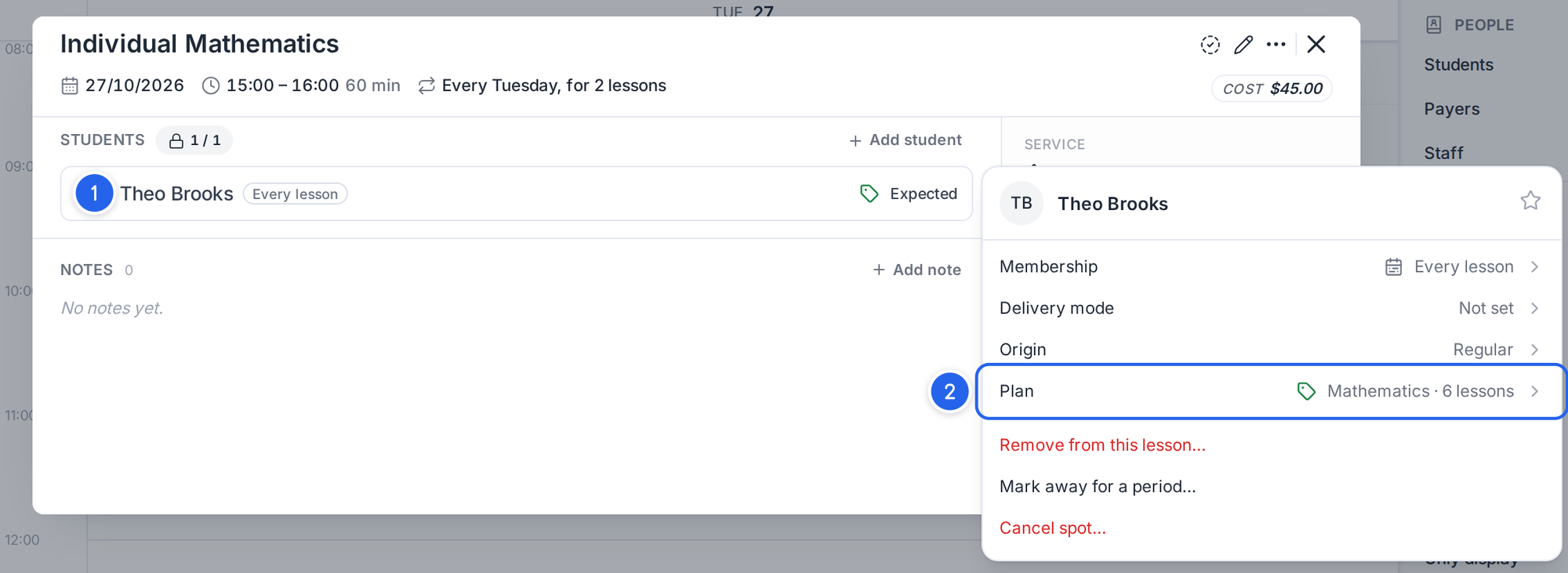
Select the student's name under Students. The student menu opens.
Select Plan. The Plan panel opens for that student.
Choose the plan for the series
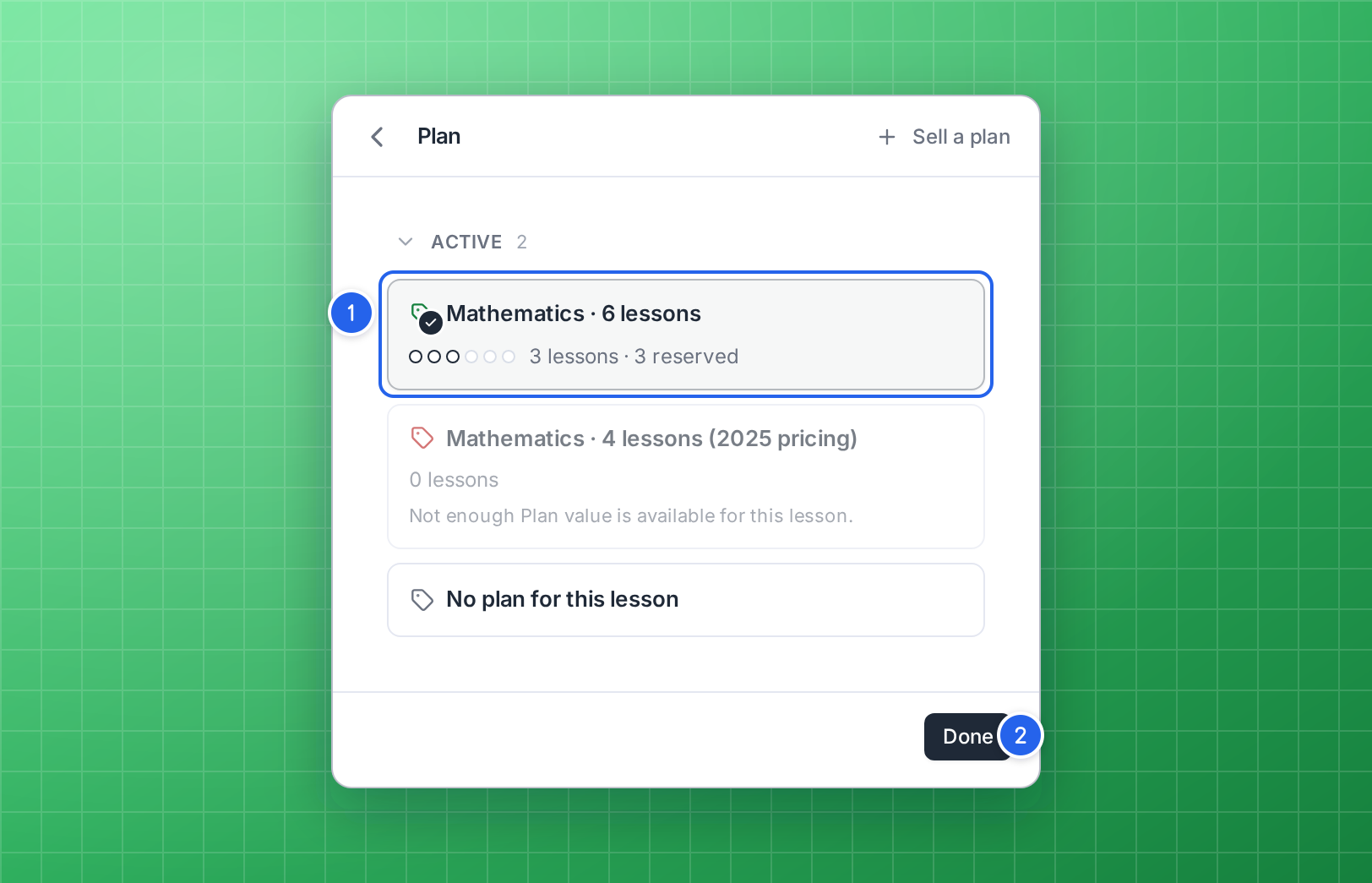
Choose the purchased plan, even if it is already selected; for example, Mathematics · 6 lessons. Choose the purchase intended for this recurring series so the default reflects the package the payer bought. A greyed plan cannot be chosen for the lesson.
Select Done. The student menu reopens, but the default is not saved yet.
Press Escape to close the student menu.
Set where the default starts
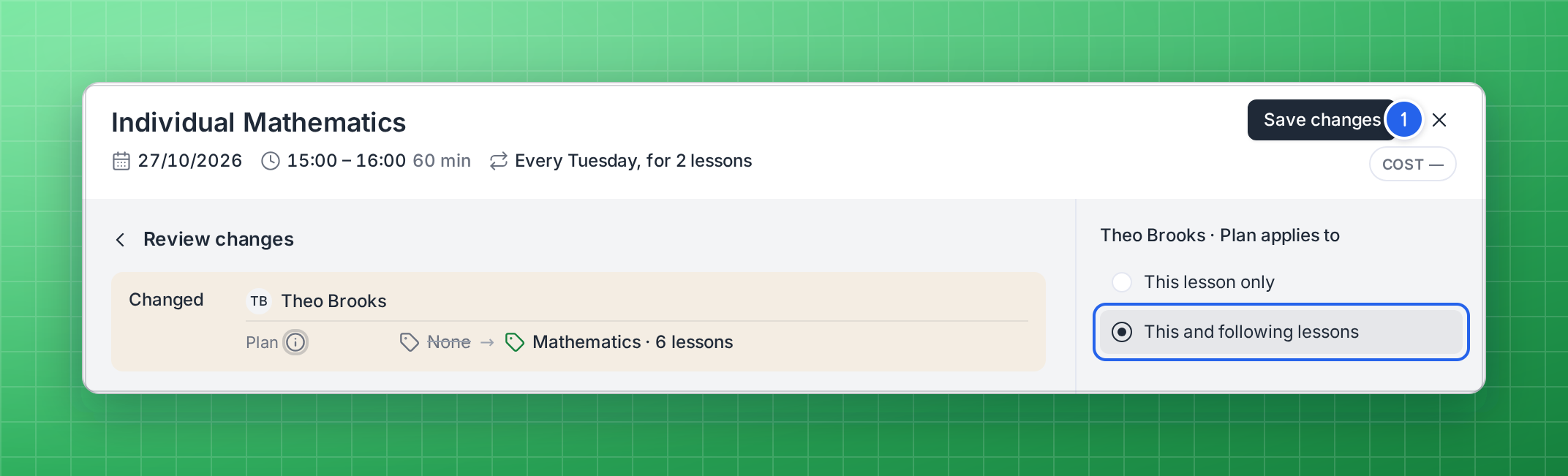
Select Review changes. Under the student's Plan applies to, choose This and following lessons. Keep that choice selected if it is already selected: the first default starts with This and following lessons selected.
Choose This and following lessons when the purchased plan should be the student's normal plan for the series, because This lesson only changes only one lesson.
Open the information control beside Plan to check the impact. The summary gives the starting lesson and counts of lessons with coverage, lessons that still need a plan, and individual choices kept. The summary also says finalized history stays unchanged. Check for lessons that still need a plan before saving, because a default does not guarantee enough lessons remain in the package. Later lessons are checked as they become available.
If the plan or scope is wrong, select Back to editing to correct the choice before saving.
Save the series default
Select Save changes to save the reviewed default.
After you save
The series default starts at the lesson you opened and is available in Plan on that lesson and following lessons in the same series. Existing individual lesson choices remain selected, and the student's other series keep their own plan settings.
The series-default review has no notification recipients or message fields. Setting the default adds no email to Email history.
Common questions
How do I apply a plan to all lessons in a series?
Choose the purchased plan in the student's Plan panel, select Done, then choose This and following lessons in Review changes and select Save changes. The default starts at the lesson you opened; existing individual lesson choices stay unchanged.
Does Done save the default plan for a recurring lesson?
No. Done returns to the student menu with the chosen plan. Close the student menu, select Review changes, check the scope, then select Save changes to save the default.
Does the series default replace a plan chosen for one lesson?
No. Setting the series default preserves individual lesson choices. A lesson with an individual plan choice keeps that plan.
What if the plan runs out of lessons?
A series default does not guarantee enough package lessons for every booking. Choose an available purchase in the affected lesson's Plan panel, then open Review changes. Choose This and following lessons when the replacement should be the normal plan for the series, because This lesson only changes one lesson; choose This lesson only for an individual exception, then select Save changes.
Does the default change the student's other recurring series?
No. The default belongs to one student and one series. Open a lesson in another series to review that series's plan settings.