


Key Takeaway: An education center booking system automates your most time-consuming tasks like scheduling, invoicing, and payroll. It replaces manual spreadsheets and messaging apps with a single platform, helping you prevent double-bookings, reduce admin work by over 60%, and reclaim hours to focus on growth.
Ever felt like you're drowning in a sea of spreadsheets, WhatsApp messages, and paper calendars just to keep your tutoring centre running? You're not alone. The constant back-and-forth of scheduling, invoicing, and tracking students is a huge time sink. This is where an education center booking system comes in.
Think of it as a digital operations manager for your business. It’s specialized software designed to automate all those repetitive admin tasks. It replaces your messy collection of manual tools with a single, smart platform. For many centre owners, it’s the key to getting back over 10 hours every single week.
What is a Modern Education Center Booking System?
A modern education center booking system is the central hub that runs your entire operation. It is not just a digital calendar. The software handles the complete student journey from a parent's first inquiry, through enrollment and attendance, all the way to final payment and progress tracking.
Essentially, this is software built to solve the exact operational headaches that stop tutoring businesses from growing. Instead of trying to stitch together separate tools, a dedicated system brings everything under one roof. When a tutor marks attendance, the system instantly logs it, deducts a lesson, and queues the invoice automatically.
Why Are Manual Operations Holding You Back?
Relying on spreadsheets, paper forms, and a jumble of messaging apps creates a massive drag on your business. These manual methods are a breeding ground for human error. They lead to costly mistakes like double-booked tutors, clashing room schedules, incorrect invoices, and missed payments, which harms your profits.
In Hong Kong's competitive market, operational friction is a business killer. The number of centers run by the three largest local players dropped by 45% between 2016 and 2026. With thin margins, a simple scheduling mistake means lost revenue. Many centers struggle with capacity below 70%, while tech-powered competitors achieve 90% or more. You can read more about managing a tutoring centre in Hong Kong.
What are the Core Functions of a Booking System?
A true education center booking system is built to handle the unique realities of running a learning center. It is a specialist tool, not a generic one adapted for education. The primary goal is to transform time spent on repetitive administration into time spent on teaching and growing the business.
Key capabilities you should expect include:
- Smart Scheduling: Instantly finds available tutors, rooms, and time slots while automatically preventing conflicts.
- Automated Billing: Generates invoices from attendance records for lessons, packages, or monthly memberships.
- Payroll Calculation: Figures out tutor pay based on their specific contracts and hours taught, even with complex commissions.
- People Management: Keeps detailed, organized profiles for every student, parent, and teacher in one central database.
Manual Spreadsheets vs. Automated Booking System
The table below contrasts the daily grind of manual management with the smooth efficiency of an automated system. The difference is clear. One path leads to burnout and operational ceilings; the other opens the door to streamlined operations, happier staff, and sustainable growth in 2026.
| Administrative Task | Manual Method (Spreadsheets, WhatsApp) | Automated System (Tutorbase) |
|---|---|---|
| New Student Booking | 15+ minutes of back-and-forth messages and frantic calendar checks. | Less than 1 minute using a smart "Find Slot" feature. |
| Invoicing | Hours spent manually creating and sending individual invoices each month. | Invoices are generated and sent automatically when attendance is marked. |
| Conflict Resolution | Frequent double-bookings requiring apologies and stressful rescheduling. | Real-time conflict detection prevents double-bookings from ever happening. |
| Business Reporting | Time-consuming data entry for a delayed, often inaccurate, view of performance. | Instant access to real-time dashboards on revenue, attendance, and growth. |
What Core Features Drive Center Operations?

A proper education center booking system is more than a digital calendar. It is your entire operational command center. It automates the pillars of your business: scheduling, billing, payroll, and managing all your people. By knitting these functions together, the right system can slash manual data entry by up to 60%.
What is Smart Scheduling in an Education Center?
Smart scheduling is an automated process that finds the best lesson slots based on your center's constraints. It uses algorithms to match teacher availability, room capacity, and student needs, generating viable options in seconds. This prevents costly human errors that creep in with manual coordination.
Smart scheduling generates available teacher, room, and time combinations for new lessons. It constantly runs availability checks, making it impossible to double-book a teacher or classroom. Students can browse existing classes with open seats. Real-time availability prevents double-booking, which eliminates a common operational headache.
Students and parents can also view their schedule in a portal. This self-service capability cuts down your admin work even further. It gives families autonomy while ensuring all bookings align with your center's real-time availability.
How Can You Automate Billing and Payments?
Automated billing connects your daily operations directly to your revenue. The system generates invoices automatically based on attendance data logged by teachers. This feature dramatically improves cash flow and kills the tedious month-end task of creating invoices one by one. This is crucial for handling different billing models.
- Prepaid Packages: The system automatically tracks and deducts credits from a student’s package each time they attend a class.
- Monthly Subscriptions: It handles all the recurring billing for students on fixed monthly plans without your intervention.
- Pay-As-You-Go: It invoices for individual lessons as they happen, ensuring no session is ever missed.
You can also configure the system to manage your specific billing rules. It can automatically apply early bird discounts or enforce late cancellation fees. This ensures your policies are applied consistently to everyone, every time.
How Does Automated Payroll Work?
Payroll automation saves significant time and prevents payment disputes by calculating teacher pay with precision. The system uses actual lesson data and each teacher's specific contract terms to generate accurate payout statements. This is a lifesaver for centers juggling different pay structures.
This feature is built to handle a variety of compensation models.
- Hourly or Per-Lesson Rates: It calculates pay based on the exact number of hours taught or lessons delivered.
- Revenue Sharing: It figures out a teacher's share of the revenue from their classes automatically.
- Complex Contracts: It manages base salaries with variable bonuses, overtime pay, or special premiums without manual calculations.
Why Should You Manage People and Locations Centrally?
A robust booking system gives you a single source of truth for all your critical information. It pulls data for students, parents, and teachers into organized profiles. This makes key details like contact info or payment history accessible in a couple of clicks. No more digging through different spreadsheets or apps.
For businesses with more than one branch, multi-location management is a game-changer. From a single dashboard, you can oversee schedules, see how rooms are being used, and manage teacher assignments across all your centers. This gives you a clear, high-level view of your entire operation in 2026.
How Smart Scheduling Prevents Costly Conflicts
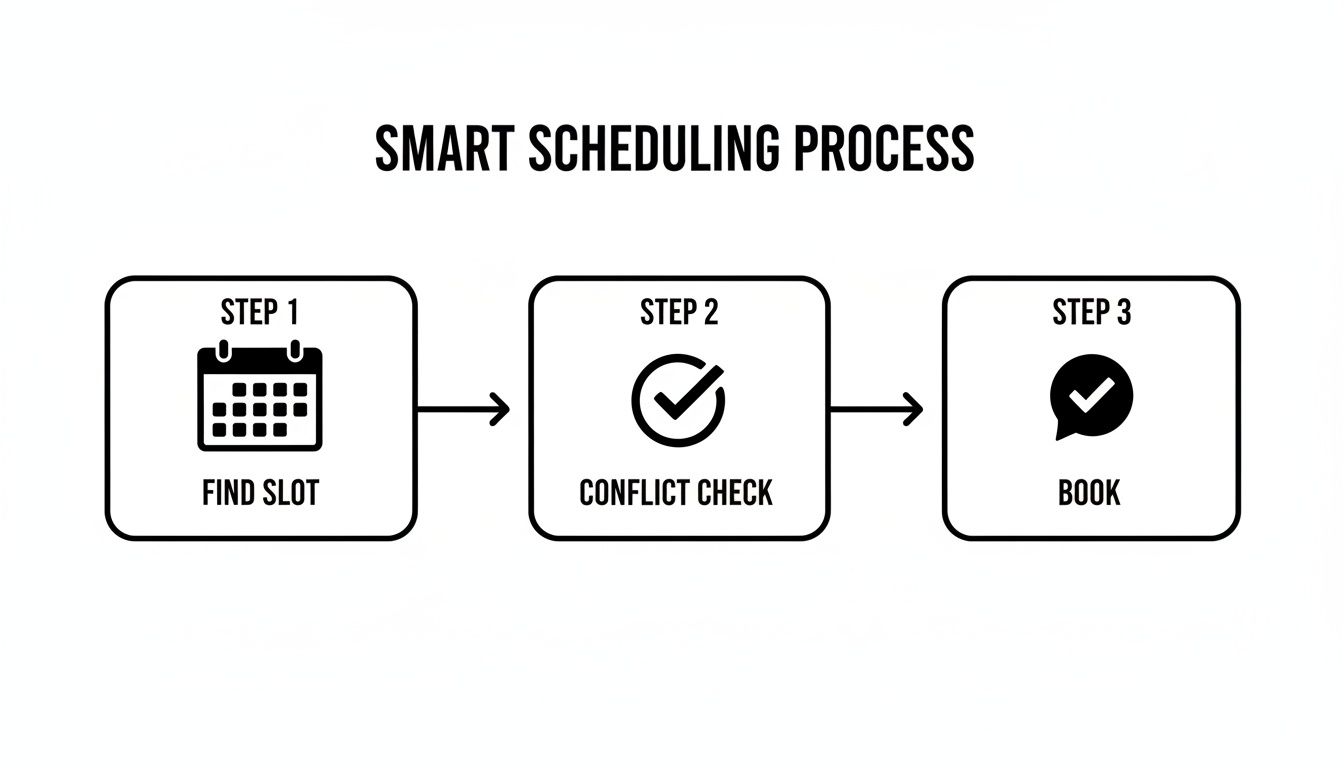
Smart scheduling is the brain of a modern education center booking system. It uses intelligent algorithms to eliminate double-bookings and has been shown to slash scheduling time by over 90%. By instantly matching teacher, room, and student availability, it stops the frustrating conflicts common with manual coordination.
At its core, smart scheduling constantly cross-references multiple moving parts in real time. It juggles teacher availability, room capacity, subject expertise, and student schedules. This gives you a list of perfect lesson options in seconds, so your staff can stop jumping between five different calendars.
Can You Instantly Find the Perfect Lesson Slot?
Yes, the "Find Slot" feature shows this power in action. When you need to book a new lesson, you just input the student's needs. For example, Grade 10 Physics on a Tuesday afternoon. The system immediately scans every teacher's schedule and all room bookings to show you every possible combination that works.
This is a massive leap for admin efficiency. A task that used to take an administrator 15 minutes of manual checking can now be done in under a minute. The system does all the heavy lifting, making sure every new booking is conflict-free from the start.
How Do You Fill Empty Seats with the Find Spot Tool?
The "Find Spot" tool helps you get every class as close to full as possible. Imagine a parent calling for an immediate opening in a group English class. Instead of your staff manually digging through class lists, they can use this feature to instantly filter all existing classes that have an empty seat.
This lets you:
- Quickly fill last-minute vacancies: Turn an empty seat into revenue by offering it to the right student on the spot.
- Improve resource utilization: Ensure your group classes run at full or near-full capacity, which directly boosts profitability.
- Deliver better customer service: Give parents immediate, accurate answers about class availability.
Navigating Hyper-Competitive Education Markets
In demanding markets like Hong Kong, operational efficiency is a matter of survival. Students there often spend an average of 50 hours per week on their studies. This intense demand puts a huge strain on a center's operations, especially when it's managed with a patchwork of tools like WhatsApp and Google Sheets.
This old-school approach can lead to overbookings in up to 15% of lessons. A modern booking system with smart scheduling is the direct solution to this operational nightmare. You can discover more about how specialized class scheduling software can truly optimize your center's operations.
Streamlining Your Finances from Billing to Payroll
An integrated education center booking system ties your whole financial workflow together. It connects everything from generating an invoice when a teacher marks attendance to calculating their pay. This direct link slashes costly human errors and keeps your cash flow healthy. Centers that make this shift often cut their financial admin time by over 60%.
This isn't just about saving time; it's about changing how your center handles money. It creates a clean, unbroken line from the moment a lesson is taught to the moment you collect revenue and pay your tutors. It ensures every single lesson taught is a lesson billed, closing frustrating revenue leaks.
How Does the System Handle Complex Billing Scenarios?
A good booking system is built to handle billing complexity without your team's intervention. It becomes your silent financial administrator, flawlessly applying your business rules every single time. This means you can easily support all the ways parents want to pay.
- Pay-as-you-go lessons: Invoices pop up right after a lesson is finished, perfect for drop-in students.
- Prepaid credit packages: The system automatically ticks off credits from a student’s balance as they attend classes.
- Recurring monthly subscriptions: It handles automated billing cycles for students on fixed plans, making revenue more predictable.
Better yet, the system can manage all your little financial rules. Need to automatically apply a late cancellation fee or a special discount? It's done. This consistency builds trust with parents and protects your bottom line. To get a deeper look at financial tools, check out our guide on the best billing software for tutoring businesses.
From Attendance to Accurate Payroll
The system also perfects your payroll. It uses the same verified attendance data to figure out tutor compensation based on their unique, pre-set contracts. This completely removes the guesswork and prevents the payroll disputes that often arise from messy manual tracking.
The real magic is in creating a single source of truth for your financials. By linking scheduling, attendance, billing, and payroll, the system guarantees that all your financial data comes directly from what’s actually happening in the classroom. This ensures maximum accuracy and transparency.
Legacy Software vs. Modern Booking Platforms
Trying to manage modern finances on older software feels like a constant struggle. Legacy systems often require manual steps that create bottlenecks and errors. A modern platform automates the entire financial journey from start to finish. Here’s a quick look at the difference it makes.
| Feature | Legacy Systems (e.g., Teachworks) | Modern Booking System (e.g., Tutorbase) |
|---|---|---|
| Invoice Creation | Manual generation required at the end of a billing cycle. | Invoices are generated automatically when attendance is marked. |
| Payment Models | Basic support for hourly or flat-rate billing. | Fully supports packages, subscriptions, and pay-as-you-go. |
| Payroll Calculation | Requires manual data export and calculations in a separate spreadsheet. | Calculates payroll automatically based on attendance and contract rules. |
| Financial Reporting | Delayed, often requiring manual data consolidation. | Real-time dashboards showing revenue, outstanding payments, and cash flow. |
How to Choose the Right Booking System for Your Centre
Picking the right education center booking system is a strategic decision that will shape your growth for years. You need to look past the sales pitch and focus on scalability, a genuinely simple user interface, and key integrations. In short, find a partner that solves your real-world operational headaches.
Choosing a booking system is a foundational investment in your centre’s future. The right software grows with you. The wrong one creates frustrating bottlenecks that tie your team in knots and put a hard ceiling on your growth. A system that looks slick but is a nightmare for staff to use will only create more problems.
What are the Key Evaluation Criteria for Your Centre?
When you start comparing options, your evaluation should boil down to a few critical pillars. These are the things that determine whether a system will actually make your life easier. Don't be shy, ask vendors direct questions about these areas.
- Scalability: Can this system grow with you? A platform that works for 50 lessons a week must perform just as flawlessly at 5,000.
- User Interface (UI): Is it simple and intuitive? Your whole team must be able to pick it up quickly with minimal hand-holding.
- Essential Integrations: Does it connect with tools you already rely on? Seamless integration with payment gateways like Stripe is non-negotiable.
Beyond these basics, you need to dig into features specific to an education business. Multi-branch support is vital if you plan to expand. Flexible teacher contract management is another deal-breaker, making sure you can automate payroll for different pay structures without difficulty.
What Questions Should You Ask During a Vendor Demo?
A product demo is your chance to see exactly how a system solves your biggest challenges. Don't just sit back and let the salesperson run the show. You need to show up with a checklist of questions that address your specific pain points and long-term vision.
Here are a few questions you must ask:
- Pain Point Focus: How does your system specifically solve complex payroll for our revenue-share tutors?
- Onboarding and Migration: What does the data migration process look like? How will you help us move our existing student data?
- Support and Training: What kind of ongoing support do you offer after setup? Is it available during our business hours?
- Reporting and Analytics: Can you show me how to generate a report on student retention and teacher utilization for last quarter?
- Future Roadmap: What new features are you planning for next year that will benefit a center like ours?
This proactive approach turns the demo into an active problem-solving session. For more ideas, you can check out our detailed comparison of the best tutoring management software in 2026 to see how the leading platforms really stack up.
FAQ: Education Center Booking System
What is an education center booking system?
An education center booking system is specialized software that automates the core administrative tasks of a learning center. This includes smart scheduling to prevent conflicts, automated invoicing based on attendance, payroll calculation, and centralized management of student, parent, and teacher data in one platform.
How does a booking system reduce administrative work?
A booking system automates repetitive tasks by connecting them into a single workflow. For example, when a teacher marks attendance, the system automatically generates an invoice and updates payroll records. This integration can reduce manual administrative work by up to 60%, freeing up staff time.
Can the system handle multiple center locations?
Yes, a quality education center booking system provides multi-location management. This allows you to oversee schedules, room utilization, and staff assignments across all your branches from a single, centralized dashboard, ensuring operational consistency as you grow.
Is it difficult to switch to a new booking system?
Switching is easier than you might think. Leading providers offer structured onboarding that includes migrating your existing student and class data. They also provide comprehensive team training and ongoing support to ensure a smooth transition and confident adoption by your staff.
How does this software prevent double-booking?
The system's smart scheduling feature provides real-time availability checks across all teachers, rooms, and existing classes. It makes it impossible to book a resource that is already in use by flagging the conflict before the booking is confirmed, completely eliminating this common and costly error.
What is the ROI of an education center booking system?
The return on investment comes from significant time savings, reduced operational costs, and increased revenue. Key benefits include a 60% reduction in admin time, the elimination of costly scheduling errors, and improved client retention. Many centers boost monthly renewals by an average of 42% after implementation.
Can parents book classes themselves?
Yes, many modern systems include a parent or student portal. This feature allows them to view available class slots, book new lessons, manage their schedule, and view their attendance history and package balances without needing to contact your administrative staff.
How does the system improve financial accuracy?
The system creates a direct link between classroom attendance and financial records. Invoices and payroll are generated directly from verified attendance data, which eliminates the human error common in manual spreadsheet tracking. This ensures every lesson taught is accurately billed and every teacher is paid correctly.
Ready to eliminate admin headaches and focus on growing your education centre? Discover how the powerful automation tools in Tutorbase can transform your operations. To see it in action, register at tutorbase.com/register.


