
Change the teacher for one lesson only
Assign a substitute teacher to one lesson, keep the regular teacher on later lessons, and choose who receives change emails.
Last updated
To assign a substitute teacher for one lesson in Tutorbase, open the lesson in Calendar, select Edit lesson, change Teacher, and save with This lesson only. The substitute covers that occurrence; the regular teacher stays on later lessons in the series.
Before you start
Confirm the substitute's availability and suitability for the lesson. Open the intended occurrence in Calendar and check its student, time and location before editing.
Worked example: Daniel Rivera covers Maya Chen for one of Theo Brooks's weekly mathematics lessons. Theo's payer, Rachel Brooks, coordinates attendance, so the school wants to notify the payer and both teachers without a separate student email.
Assign the substitute teacher
Select Edit lesson in the lesson details. The lesson editor opens.

Choose the cover teacher:
- Under Teacher, select the current teacher's name. Keep Check availability at This lesson for temporary cover so the check is limited to the occurrence you are changing.
- Select Daniel Rivera. Choose the agreed substitute rather than treating a selectable name as confirmation of the teacher's suitability.
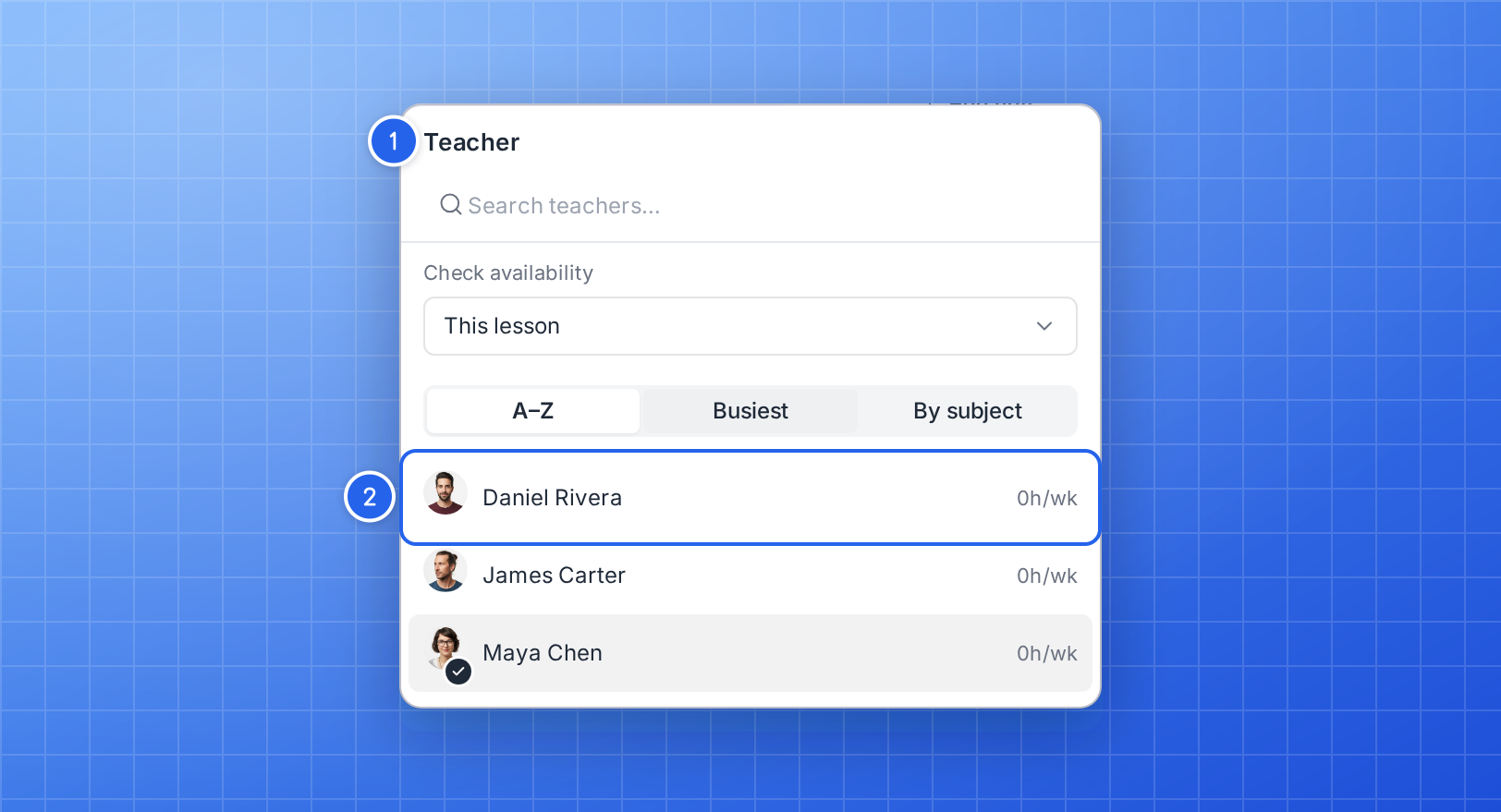
Select Review changes. The summary shows Maya Chen changing to Daniel Rivera; the change is not saved yet.
Choose the scope and email recipients:
- Under Apply to, choose This lesson only. Use this scope for temporary cover because the regular teacher should remain on later lessons.
- Under Email notifications, clear Notify students and keep Notify payers and Notify staff selected. For a child whose payer coordinates attendance, notify the payer and both affected teachers so everyone managing the lesson knows about the cover.
The review starts with Students, Payers and Staff selected. Select a group to see its named recipients and change individual checkboxes when someone should be included or excluded. Staff includes the outgoing teacher and the substitute. The message boxes are optional; leave them blank unless you need to add information for those recipients.
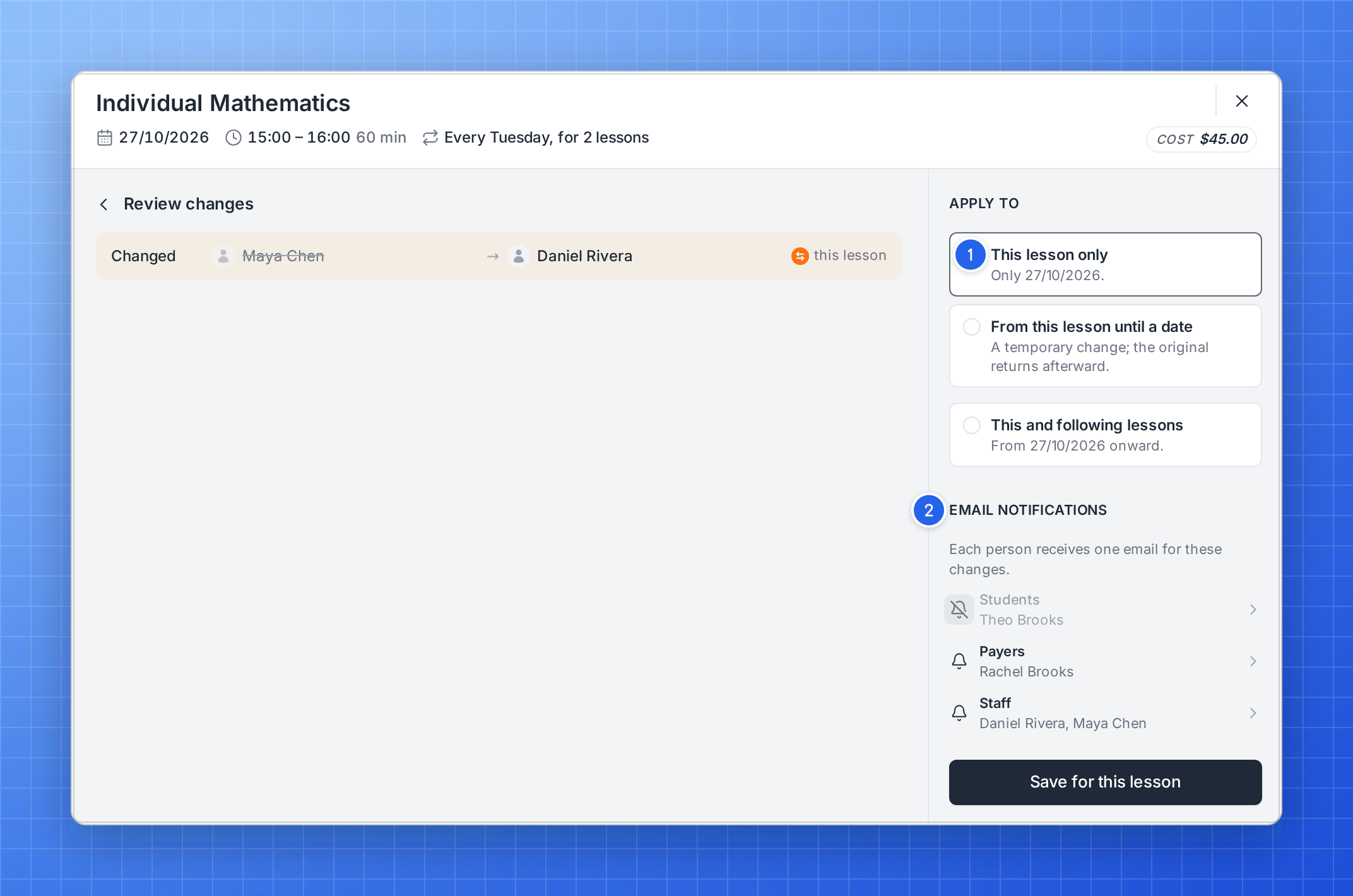
Select Save for this lesson to save the teacher change and the notification choices.
After you assign cover
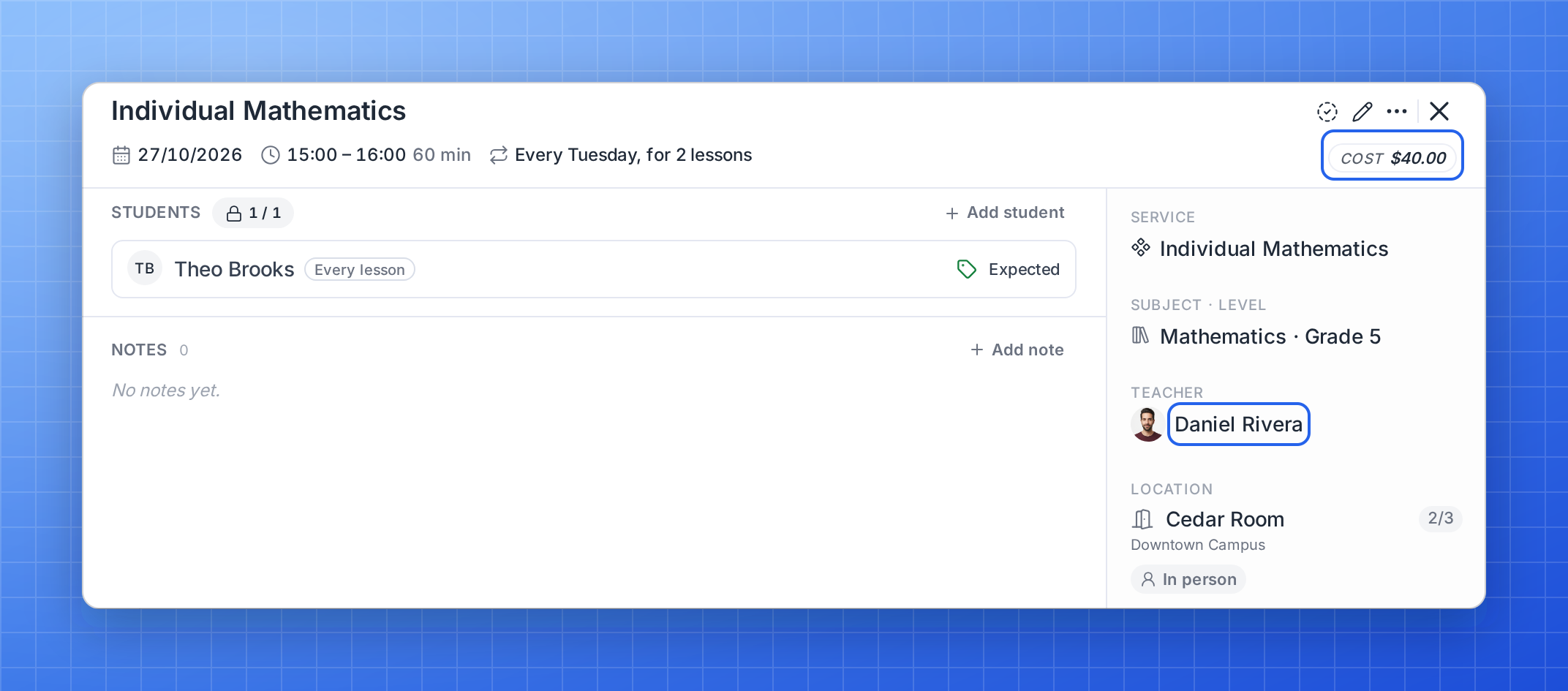
The selected lesson shows the substitute teacher. The lesson's time, location, student and plan choice stay the same, and the other occurrences keep the regular teacher.
Check COST in the saved lesson details before relying on the staff cost. The review header can still show the earlier amount.
With the payer and staff selected, Settings > Email history lists a lesson update for the payer, a removal notice for the outgoing teacher and an assignment notice for the substitute. Email history carries a Beta warning that records may be incomplete or inaccurate; confirm important delivery outcomes with the recipients.
Common questions
How do I change the tutor for this week only?
Open that week's lesson in Calendar, select Edit lesson, and change Teacher. In Review changes, choose This lesson only, choose the email recipients, and select Save for this lesson.
Will the substitute replace the teacher next week too?
No. Saving with This lesson only changes the selected occurrence and keeps the regular teacher on later lessons in the series.
Is the change saved when I choose a teacher?
No. Selecting a teacher changes the draft in the editor. Select Review changes, then Save for this lesson to save the substitution.
Who gets an email about the teacher change?
The notification choices are under Email notifications in Review changes. Check the named people in Students, Payers and Staff before saving; the staff group includes both the outgoing teacher and the substitute.
Does the teacher picker confirm that the substitute is qualified?
Do not treat a selectable teacher as proof of suitability for the subject. Confirm the teacher's suitability and availability before assigning cover.